 PH
PH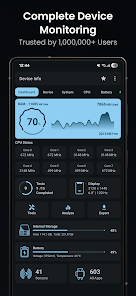
Device Info - Hardware & System Monitor
Device Info is a comprehensive hardware monitoring and diagnostic tool for Android. It provides real-time data on internal components, system software, and network connectivity through an advanced user interface.General Specifications
| Category | Data Points |
|---|---|
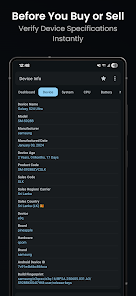
| Device | Model, manufacturer, brand, board, hardware, build fingerprint, manufacturing date, device age, USB host, SIM/Network details, IMEI. |
| System | Codename, API level, Android version, One UI version, Security ρá†ch, Kernel, Bootloader, Baseband, Java VM, Google Play Services, Vulkan/OpenGL ES support, Treble, Seamless updates, Uptime, Root status. |
| Display | Resolution, pixel density, font scale, physical size, refresh rates, HDR support, brightness, screen timeout, orientation. |
| Storage & Memory | RAM type/frequency, detailed RAM usage, internal and external storage capacity with real-time statistics. |
| Sensors | Sensor name, vendor, type, power consumption, wake-up/dynamic status, maximum range. |
| Camera | Aperture, focal length, ISO range, RAW capability, resolution, crop factor, focus/flash modes, image formats, face detection. |
Hardware Performance & Connectivity
| Component | Monitored Metrics |
|---|---|
| CPU/SoC | Architecture, processors, supported ABIs, CPU hardware/governor, core count, frequency, GPU renderer, vendor, and version. |
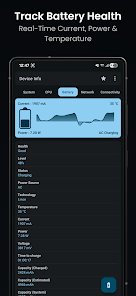
| Battery | Health, level, status, power source, technology, temperature, voltage, power (watts), current (mA), and capacity. |
| Network | IP address, gateway, subnet mask, DNS, lease duration, interface, frequency, Wi-Fi standard, security, and link speed. |
| Connectivity | Wi-Fi, Bluetooth, NFC, Ultra-Wideband (UWB), and USB details. |
| Thermals | Comprehensive thermal zone values for accurate temperature monitoring. |
Advanced Tools & Analysis
- App Analyzer: Provides advanced graphs and grouping by target/min SDK, install location, platform, installer, and signature.
- WiFi Analyzer: Scans nearby networks to analyze signal strength, channels, standards, security protocols, and estimated distance.
- Hardware Benchmarks: Integrated testing for Display, Multi-touch, Flashlight, Speakers, Microphone, Proximity, Light, Accelerometer, Charging, Headset, Vibration, Bluetooth, Fingerprint, and physical buttons.
- App Manager: Detailed info on user and installed apps, including permissions, activities, services, providers, and APK extraction.
- System Tools: Permission analyzer, data usage monitor, compass, and customizable Material You widgets.
- Reporting: Export system diagnostics and device information as text or PDF reports.
Version Information & Updates
- Minimum Requirement: Android 7.0+
- Latest Improvements: Improved 5G and CPU detection, customizable widget font colors, and Material backgrounds for widgets.
Technical Modifications
| Feature | Details |
|---|---|
| Status | Premium features unlocked; Donate/ρáíd features enabled. |
| Privacy | Analytics, Crashlytics, and Firebase disabled; Feedback dialogs removed. |
| Cleanup | Debug code removed; unnecessary Permissions, Receivers, Providers, and Services disabled. |
| Ad-Free | Ad-related permissions/services removed; layout visibility disabled; ad-link invokes nullified. |