 PH
PH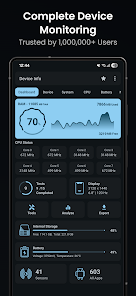
Device Info - Technical Overview
Device Info provides comprehensive hardware and software diagnostics for Android devices through a structured interface. It monitors real-time system performance, including CPU, GPU, RAM, and thermal metrics, without data collection.Core Specifications
| Category | Technical Details Included |
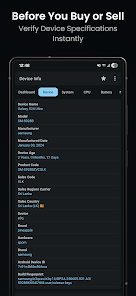
| Device Information | Model, manufacturer, brand, hardware, board, build fingerprint, device age, manufacture date, USB host, SIM/Network details, IMEI. |
| System Information | Codename, API level, OS version, One UI version, bootloader, baseband, Java VM, security ρá†ch level, kernel, Google Play Services, Vulkan, OpenGL ES, Treble, system uptime, root status. |
| CPU / SoC | Architecture, supported ABIs, CPU hardware/governor, core count, frequency, GPU renderer, GPU vendor, and GPU version. |
| Memory & Storage | RAM type/frequency, detailed usage statistics, internal and external storage capacity. |
| Display | Resolution, PPI, font scale, physical size, refresh rates, HDR support, brightness, and orientation. |
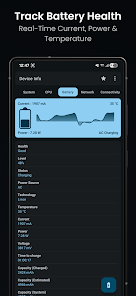
| Battery | Health, level, status, power source, technology, temperature, voltage, wattage, current (mA), and capacity. |
| Camera | Aperture, focal length, ISO range, RAW capability, resolution, crop factor, focus/flash modes, and image formats. |
Connectivity & Sensors
| Module | Data Points |
| Network | IP Address, Gateway, Subnet Mask, DNS, Lease Duration, Interface, Frequency, Wi-Fi Standard, Security, and Link Speed. |
| Connectivity | Wi-Fi, Bluetooth, NFC, Ultra-Wideband (UWB), and USB. |
| Sensors | Name, vendor, type, power consumption, wake-up/dynamic status, and maximum range. |
Integrated Tools & Analysis
- App Analyzer: Advanced graphing of applications; grouping by target/min SDK, install location, platform, installer, and signature.
- WiFi Analyzer: Signal strength analysis, channel scanning, security protocols, and distance estimation.
- Hardware Benchmarks: Automated testing for Display, Multi-touch, Flashlight, Audio (Loudspeaker/Ear Speaker/Mic), Proximity, Light, Accelerometer, Charging, Biometrics, and physical buttons.
- Thermal Monitoring: Real-time data from all system-defined thermal zones.
- Export Utility: Generation of device diagnostics in text or PDF formats.
- Interface: Material You widgets for home screen monitoring; support for custom light and dark color schemes.
Version Information
- Requirement: Android 7.0+
- Latest Changes:
- Resolved incorrect CPU reporting.
- General bug fixes and performance optimizations.
Modification Details
- Premium Features: All donate/ρáíd features unlocked.
- Optimization: Removed unwanted Permissions, Receivers, Providers, and Services.
- Ad-Removal: All Ad-related Manifest entries, links, and layouts disabled or nullified.
- Telemetry: Debug code, Analytics, Crashlytics, and Firebase components disabled.
- UI Tweaks: Removed exit feedback dialog.