 PH
PH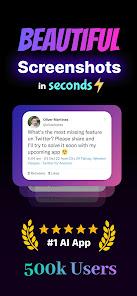
NexSnap: Professional Screenshot Editor & Mockup Generator
NexSnap is a specialized utility designed to transform raw screen captures into high-fidelity, professional-grade visuals. It combines a versatile screenshot editor with automated styling tools to streamline the creation of UI/UX mockups and annotated images.Technical Specifications
| Feature | Details |
|---|---|
| App Version | v1.4.9 b71 |
| Android Requirement | 7.0+ |
| Edition | Premium |
| Category | Productivity / Utility |
Core Functional Modules
1. Visual Enhancement & Styling
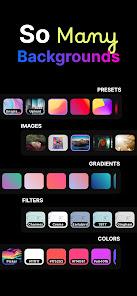
- Background Management: Integration of 4K wallpapers, vibrant gradients, and solid color backgrounds.
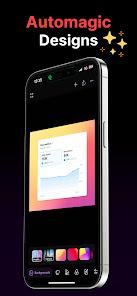
- Style Presets: One-click application of "Stacked," "Clean," and "Browser Window" frames.
- Advanced Geometry: Granular control over padding, corner rounding, and 3D shadow depth.
- AI Enhancements: Automated polishing tools to optimize image clarity.
2. Annotation & Snipping Tools
- Vector Overlays: Integrated tools for adding text, directional arrows, and highlight boxes.
- Process Markers: Sequential step markers for instructional documentation.
- Page Capture: Optimized for both mobile application screens and web page captures.
3. Output & Formatting
- Aspect Ratio Optimization: Predefined cropping presets for LinkedIn, X (Twitter), and Instagram.
- High-Resolution Export: Support for HD output to prevent compression artifacts.
- Privacy Controls: Tools to redact or hide sensitive data prior to export.
Target Use Cases
- Software Development: Showcasing UI/UX designs within professional device mockups.
- Content Creation: Generating high-engagement screen captures for digital platforms.
- Technical Documentation: Creating clean, annotated visuals for professional presentations and manuals.