 PH
PH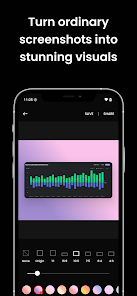
Screenshot Editor & Markup v2.0.4 [Premium]
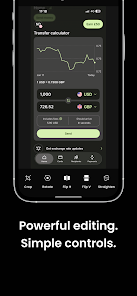
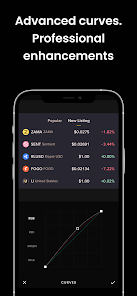
Screenshot Editor is a specialized utility designed for Android 8.0+ that facilitates the aesthetic refinement of system captures through structured layout adjustments. The application focuses on providing a professional finish by allowing users to manipulate the negative space and edge geometry of their images. By moving beyond basic cropping, the software enables the creation of polished assets suitable for documentation or interface presentations.Technical Specifications
| Attribute | Details |
| Version | v2.0.4 (Build 2002004002) |
| Package Status | Premium Unlocked |
| Architecture | arm7, arm64 |
| File Size | 10.1 MB |
| Minimum OS | Android 8.0+ |
| SHA-256 Hash | 8cd6f4158605d59bb054fced3d527b10424b79bd93d3658fab22f4d8eddb0cbf |
Key Features Overview
- Background Customization: Substitutes standard backgrounds with solid colors or custom image layers to enhance visual focus.
- Padding Control: Manages the internal spacing between the screenshot and the frame boundary for balanced compositions.
- Corner Radius Adjustment: Applies smooth rounding to image vertices to align with modern UI design aesthetics.
- Aspect Ratio Modification: Reconfigures dimensions to meet specific platform requirements or device display standards.
- Native Export: Includes direct sharing protocols for distributing processed files immediately after the editing phase.
Modification Details
- Premium features fully unlocked.
- Optimization of application resources for a compact footprint.
- Clean interface with all professional tools accessible.
What's New
- Initial release of version 2.0.4.
- Stability improvements for high-resolution exports.
- Refined padding algorithms for precise layout control.
Download