 PH
PH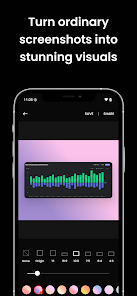
Application Overview: Screenshot Editor
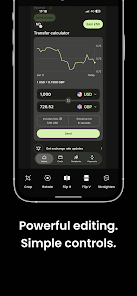
Screenshot Editor is a specialized utility designed for Android 8.0+ devices, focusing on the aesthetic refinement of captured images. The application enables users to modify frame properties to create a polished presentation suitable for technical documentation, professional portfolios, or social media.By moving beyond basic cropping, the tool offers granular control over the visual canvas, ensuring that screenshots meet specific stylistic requirements without necessitating desktop-level editing software. The 10.1 MB package supports both arm7 and arm64 architectures, maintaining a lightweight footprint while delivering essential post-processing capabilities.
Core Functional Features
- Background Manipulation: Utilize custom colors or image overlays to enhance visual depth.
- Adjustable Padding: Precise control over spatial framing for a balanced composition.
- Configurable Corner Rounding: Apply modern UI aesthetics with variable corner radii.
- Aspect Ratio Modification: Ensure platform-specific compatibility for various display standards.
- Streamlined Workflows: Integrated sharing protocols for immediate distribution.
Technical Specifications
| Requirement | Details |
| Version | v2.0.1 (Build 2002001001) |
| Android Version | 8.0 and up |
| Architecture | arm7, arm64 |
| File Size | 10.1 MB |
| Package Status | Premium Unlocked |
| SHA-256 Hash | e730e10ab3fcdea0e30c0620a836462edc386d5dccbb8a60b5447b0f1ee75208 |
Modification Details
- Release Name: Snapify: Screenshot Editor Premium
- Feature Set: All premium features unlocked; ad-services removed; optimized graphics for faster performance.
- Changelog: No specific changes provided by the developer for this build.
Download