 PH
PH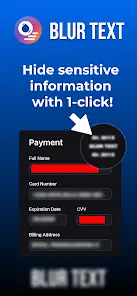
APP DESCRIPTION
Professional Screenshot Editor & Privacy Suite
Elevate your mobile workflow with a comprehensive toolkit designed for privacy, annotation, and visual enhancement. This all-in-one editor combines powerful AI-driven redaction with creative styling tools to transform standard screenshots into professional content.
Key Features
Privacy First: Local, offline processing ensures your sensitive data never leaves your device.
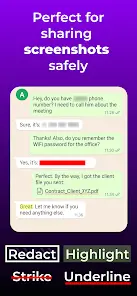
Smart Redaction: AI-powered text detection allows you to blur, redact, or highlight information with a single tap.
Creative Backdrops: Add depth to your images with professional background effects and custom styling.
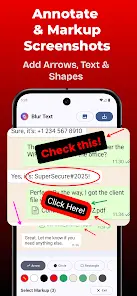
Precision Markup: Utilize a robust library of arrows, shapes, and drawing tools for clear communication.
Advanced Typography: Add custom text with saved templates and premium font options.
Custom Selection: Define specific areas to pixelate or cover using intuitive drawing tools.
Perfect For
Creating clear technical tutorials and educational content.
Protecting PII (Personally Identifiable Information) before sharing documents.
Enhancing social media posts with polished visual flair.
Documenting workflows with precise annotations and arrows.
Upgrade to Premium for an ad-free experience, expanded font libraries, undo/redo functionality, and advanced backdrop customization.
- Screenshot Editor - Markup v11.0.1 b110001 [Premium]
- Offline Processing - All editing happens on your device for maximum privacy
- Professional tutorials with annotations and backdrops
- Protecting privacy in shared images
- Premium Features:
- Ad-Free Experience - Clean, distraction-free workspace
- Advanced Backdrop Effects - Professional background styling
- Advanced Markup Tools - Professional arrows, circles, rectangles, ovals
- Expanded Font Library - Access to premium typography
- Your images never leave your device. All processing happens locally.
- Free vs Premium:
- Professionals: Document workflows, hide sensitive data, add visual appeal
- Business Users: Create professional presentations with backdrop styling
- Premium