 PH
PH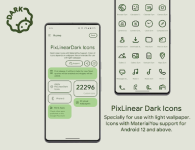
PixLinear Dark Icon Pack
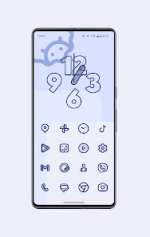
Version: 2.0.Beta [Patched] | Status: PremiumPixLinear Dark is a minimalist icon pack designed for Android 12 and above, featuring Material You integration. The icons utilize a dark linear aesthetic that dynamically adapts to the system's wallpaper color palette.
Technical Specifications
| Category | Details |
|---|---|
| Android Version | 12 and up |
| Icon Style | Dark Linear / Minimalist |
| Integration | Material You Dynamic Color Support |
| Total Icons | 27,200+ |
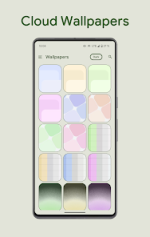
| Additional Assets | Cloud Wallpapers, Clock Widget, Weather Widget |
Launcher Compatibility
For automatic color adaptation, specific launcher versions are recommended:| Launcher Type | Behavior |
|---|---|
| Hyperion (Beta) | Automatic Color Change |
| Niagara Launcher | Automatic Color Change |
| AIO Launcher | Automatic Color Change |
| Nova Launcher (Beta) | Automatic Color Change |
| Smart Launcher (Beta) | Automatic Color Change |
| Action / Ruthless / Lawnchair | Manual/Standard Support |
| Stock One UI (Samsung) | Requires Theme Park for color modification |
Changelog (v2.0.Beta)
- Icon Expansion: Added 980+ new icons; total library exceeds 27,200.
- Visual Updates: Redesigned select existing icons for improved consistency.
- Widget Fixes: Resolved issues with the Lens button in the Search Widget.
- New Features: Added a dedicated Weather Widget.
- Bug Fixes: Resolved "non-apply" icon errors and general stability improvements.
Usage Note
These icons are specifically designed for use with light-colored wallpapers to ensure visibility and contrast. Since they utilize a dark linear design, they will not be visible on dark backgrounds.Main link: Download Mirror link1: Download