 PH
PH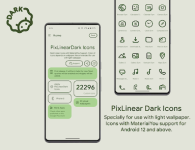
PixLinear Dark Icons | Material You Adaptation
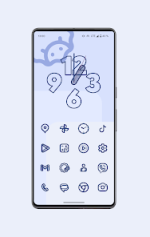
PixLinear Dark Icons offers a minimalist aesthetic specifically optimized for Android 12 and above. This icon pack utilizes Material You integration to dynamically adapt to the system color palette, ensuring visual consistency across the interface.Due to the dark linear design, it is recommended to pair these assets with light wallpapers to maintain proper contrast and visibility.
Technical Specifications
| Feature | Details |
| Total Icons | 22,000+ Linear Material Dark Icons |
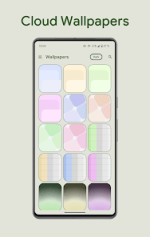
| Wallpaper Support | Cloud-based Wallpaper Collection |
| Widgets | Integrated Digital Clock Widget |
| Engine | Material You Dynamic Color Synchronization |
| Min. Requirement | Android 12+ (For dynamic coloring) |
Launcher Compatibility
To achieve automated color synchronization, this package performs optimally with the following launchers:- Premium Integration (Beta): Hyperion, Niagara, AIO, Nova, and Smart Launcher.
- Standard Support: Action, Ruthless, and Lawnchair.
- Samsung One UI: Functional via the Theme Park module for full color adaptation.
Version Logs & Metadata
What's New in v1.9.Beta- Added 600+ new icons to the library.
- Refined and redesigned existing legacy icons.
- Resolved issues with non-applying icon assets.
- Version: v1.9.Beta
- Status: Patched / Premium Unlocked
- Architecture: Universal
Installation Notes
The result of this installation is a cohesive, modern UI transformation that leverages the latest Android design standards. For the best visual experience, ensure your system's "Dynamic Color" or "Themed Icons" setting is enabled within your launcher settings after applying the pack.Download