 PH
PH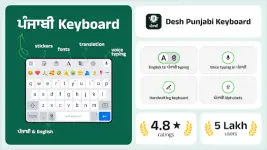
Desh Punjabi Keyboard v17.2.6
App Specifications
| Feature | Details |
|---|---|
| Version | 17.2.6 (Build 11726) |
| Android Requirement | 5.0+ |
| Architecture | arm7 + arm64 |
| File Size | 29.9 MB |
| SHA-256 | 01ddaff7baac0d1f5b2bd41e37aab87bb0d3ecbf18d2d1e1aec7392c60e4ad70 |
| Status | Premium Unlocked |
Core Functionality
The application provides a Gurmukhi script input method for Android devices. It utilizes phonetic transliteration to convert English characters into Punjabi text in real-time across all installed applications.Key Features
- Input Methods:
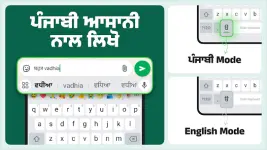
- Phonetic Transliteration: English to Punjabi typing with word suggestions.
- Voice Typing: Supports Punjabi voice-to-text (including English letter input).
- Handwriting: Manual handwriting recognition for Gurmukhi script.
- Customization:
- 21+ integrated color themes.
- Support for emojis, stickers, and GIFs.
- Dedicated toggle button for switching between English and Punjabi modes.
- Additional Tools:
- App Search: Functionality to locate and open installed applications.
- Status Saver: Swipe-up gesture to save status updates.
Installation & Configuration
- Launch the application after installation.
- Enable the keyboard and set it as the default input method.
- Configure desired themes and preferences within the application settings.
Version Changelog (v17.2.6)
- Implemented "Swipe up" gesture to save status.
- Added Punjabi voice typing via English character input.