 PH
PH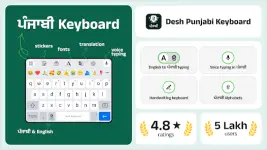
Desh Punjabi Keyboard v17.2.5 b11725 [Premium]
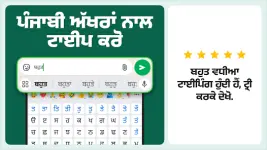
A modern Gurmukhi input solution for Android that facilitates fast Punjabi typing via phonetic transliteration and native script support.Technical Specifications
| Detail | Specification |
|---|---|
| Version | v17.2.5 b11725 |
| Android Requirement | 5.0+ |
| Architecture | arm7 + arm64 |
| File Size | 29.9 MB |
| SHA-256 | 00c1c6490c165b2cdd29f70eb6f75e7cff5c9bdd650bac5cb69dfc4e0ede4379 |
| License | Premium |
Core Input Methods
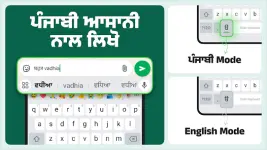
- Phonetic Transliteration: Converts English characters to Gurmukhi script in real-time.
- Voice Typing: Supports Punjabi voice-to-text (including voice typing using English letters).
- Handwriting Recognition: Manual script input support.
- Toggle System: Dedicated language button to switch between English and Punjabi modes.
Key Features
- System-Wide Integration: Works across all applications; no copy-paste required.
- Visual Customization: 21+ colorful themes accessible via settings.
- Multimedia Support: Integrated emojis (accessible via long-press on '123' key), stickers, and GIFs.
- App Search: Built-in tool to search installed applications and discover new content.
- Privacy: No personal information or financial data collection; utilizes anonymous statistics for optimization.
Installation and Setup
- Launch the application post-installation.
- Enable and select Punjabi Keyboard as the default input method.
- Configure desired theme and preferences in settings.
What's New
- Status Save: New swipe-up gesture functionality to save statuses.
- Enhanced Voice Typing: Improved support for Punjabi voice typing using English letter recognition.