 PH
PH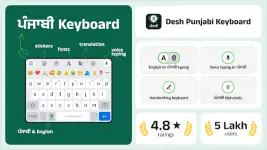
Desh Punjabi Keyboard v17.1.0 b11710 [Premium]
A Gurmukhi script input tool for Android that facilitates Punjabi typing via phonetic transliteration, voice input, and handwriting.Technical Specifications
| Feature | Details |
| Version | v17.1.0 b11710 |
| Architecture | arm64 |
| File Size | 26.1 MB |
| Minimum OS | Android 5.0+ |
| SHA-256 | 65ae94b7c0cccb982e432c28f689e9f57cd041035d8ba60904ae41b61ae12f6e |
| Mod Status | Premium Unlocked |
Core Functionality
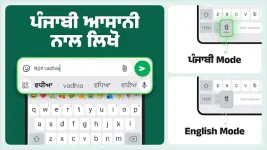
- Transliteration: Converts English characters to Gurmukhi script in real-time.
- Voice Typing: Supports Punjabi voice-to-text input.
- Handwriting: Integrated Punjabi handwriting recognition.
- System-wide Integration: Functions within all installed applications without requiring copy-paste.
- Dual Language Support: Quick toggle between English and Punjabi layouts via a dedicated language button.
Key Features
- Customization: Includes 21 color themes accessible via settings.
- Multimedia: Integrated support for stickers, emojis (long-press "123" key), and GIFs.
- App Search: Utility to search for installed applications and discover related content.
- Device Compatibility: Optimized for both Android smartphones and tablets.
- Privacy: No personal information or credit card data is collected; utilizes anonymous statistics for performance optimization.
Change Log (What's New)
- Added "Save Status" functionality via swipe-up gesture.
- Implemented Punjabi voice typing using English letter phonetic input.
Configuration Guide
- Launch the application post-installation.
- Enable "Punjabi Keyboard" in system settings and set as the default input method.
- Select preferred theme and configuration options.
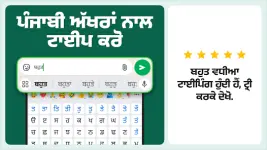
- Input text using phonetic transliteration or the native Punjabi keypad.