 PH
PH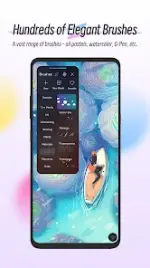
HiPaint: Sketch & Draw Art v6.2.9 (Build 236)
HiPaint is a professional digital painting and illustration application designed for creating sketches, paintings, and complex illustrations. It features a streamlined user interface optimized for finger drawing and tablet use.Technical Specifications
| Category | Details |
|---|---|
| Version | 6.2.9 (Build 236) |
| Status | Pro/Premium Activated |
| Architecture | Multi-Language support |
| Screen DPIs | 160dpi, 240dpi, 320dpi, 480dpi, 640dpi |
| Optimizations | Debug information removed |
Key Features
Brush Engine
- Brush Library: Includes 90+ brush types (Airbrushes, digital pens, sketch brushes, ink, charcoal, oil, and specialized element/noise brushes).
- Customization: 90 customizable parameters per brush.
- Brush Studio: Integrated tool for designing custom brush presets.
Interface & Canvas Tools
- UI Design: Minimalist dark mode interface with quick sliders for thickness and opacity.
- Multi-touch Gestures: * Two-finger tap (Undo) / Three-finger tap (Redo).
- Two-finger pinch (Zoom/Rotate).
- Long press (Eyedropper).
- Assistive Tools: Stroke stabilizer, symmetry guides, and shape insertion (lines, rectangles, ovals).
- Reference System: Import images as floating references or for speed painting.
Layer Management
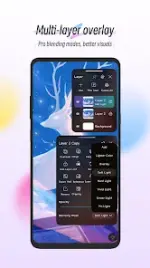
- Capacity: Supports up to 100 layers.
- Organization: Supports layer groups and clipping masks.
- Composition: 20+ industry-standard blend modes and adjustable layer parameters.
Color & Post-Processing
- Color Tools: Eyedropper, Paint Bucket, and a history of the 7 most recently used colors.
- Filters & Adjustments: * HSB and RGB real-time adjustments.
- Gaussian Blur, Motion Blur, and Sharpen filters.
- Line extraction sketch filter.
Export and Compatibility
- Output: Export artwork for cross-platform workflows (Desktop/Mobile).
- Hardware Support: Compatible with graphic tablet shortcut keys for undo/redo functions.