 PH
PH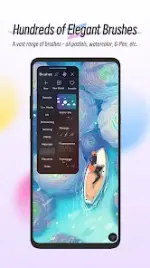
Application Overview
| Feature | Specification |
| App Name | HiPaint - Sketch & Draw art |
| Version | 6.2.6 b233 |
| Requirements | Android 9.0 and up |
| Status | Pro/Premium Unlocked |
Key Features
User Interface and Interaction
- Design: Minimalist UI focused on maximizing creative workspace.
- Controls: Quick sliders for brush thickness and opacity; dedicated dark mode interface.
- Gestures: Two-finger tap (undo), three-finger tap (redo), two-finger pinch (zoom/rotate), long-press (eyedropper), and multi-touch support for shape precision.
Brushes and Color
- Brush Engine: Over 90 brush types (ink, pencil, oil, charcoal, airbrush, etc.) with 90+ customizable parameters.
- Brush Studio: Capability to design and create custom brushes.
- Color Tools: Eyedropper, paint bucket, and a history-based palette for quick color switching.
Layer Management
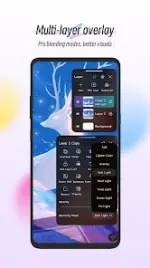
- Capacity: Support for up to 100 layers.
- Composition: Over 20 layer blend modes and layer grouping functionality.
Tools and Filters
- Drawing Utilities: Real-time stroke stabilization, shape insertion (lines, rectangles, ovals), canvas flipping, symmetry guides, and reference image importation.
- Post-Processing: Gaussian and motion blur, sharpen filters, sketch filters (line extraction), and real-time HSB/RGB adjustments.
Export and Modification
- Functionality: Supports file export for external software processing.
- Modifications: Pro features unlocked, debug information removed.