 PH
PH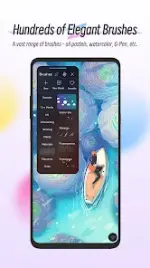
HiPaint: Professional Digital Painting & Illustration
HiPaint is a professional-grade digital painting and sketching application designed with a streamlined user interface to facilitate high-level illustration and speed painting.Technical Specifications
| Category | Details |
|---|---|
| Version | v6.2.8 build 235 |
| Status | Pro Activated |
| Languages | Multi-language support |
| Architecture | arm64-v8a, armeabi-v7a |
| Screen DPI | 160dpi, 240dpi, 320dpi, 480dpi, 640dpi |
Core Features
Interface & Workflow
- Minimalist UI: Optimized workspace with dark mode support.
- Quick Sliders: Immediate adjustment for brush thickness and opacity.
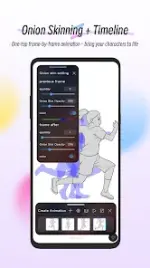
- Gesture Support: Two-finger undo, three-finger redo, pinch-to-zoom/rotate, and long-press for Eyedropper.
- Canvas Tools: Horizontal/vertical flipping, symmetry guides, and reference image importing.
Brush Engine
- Library: 90+ specialized brushes (Airbrushes, Inks, Charcoal, Oil, Elements, etc.).
- Customization: Brush Studio for custom designs with 90+ adjustable parameters.
- Stabilization: Real-time stroke smoothing and correction.
Layer Management
- Capacity: Supports up to 100 layers.
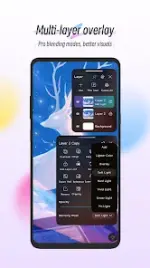
- Blending: 20+ industry-standard blend modes.
- Organization: Full support for Layer Groups and Clipping Masks.
Color & Effects
- Color Tools: Eyedropper, Paint Bucket, Color Palettes, and a 7-color recent history.
- Adjustments: Real-time HSB and RGB editing.
- Filters: Gaussian Blur, Motion Blur, Sharpen, and Line Extraction (Sketch filter).
Modification Details
- Premium features unlocked.
- Debug information removed.
- Credit: NURIK