 PH
PH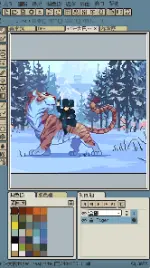
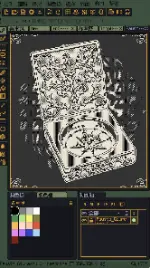
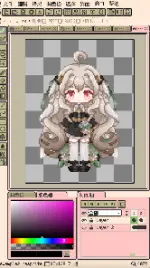
App Overview: Resprite
Resprite is a professional-grade pixel art and sprite animation editor optimized for mobile terminals. It features a high-performance Vulkan-based rendering engine, providing desktop-class features, optimized pen/gesture controls, and advanced layer and timeline systems for creating game art assets, spritesheets, and animations.Technical Specifications
| Detail | Specification |
|---|---|
| App Name | Resprite: pixel art studio |
| Version | v1.31.1 build 247 |
| OS Requirement | Android 7.0+ |
| Engine Architecture | Vulkan-based rendering engine |
| Format Support | Import/Export: GPL, RPL (Palettes) Export: Spritesheets, GIF, APNG, Resprite package |
| Mod Features | Premium Unlocked (no export limits, all features available), Unnecessary files removed |
Core Feature Set
Drawing Engine & Interface Layout
- High Performance: Low-energy rendering optimized for extended creation sessions.
- Flexible Layout: Customizable interface with floating windows and configurable toolbar placement.
- Control Optimization: Gesture and pen control integration, including universal two-finger/three-finger shortcuts for undo/redo, single-finger frame switching/playback, and customizable long-press actions.
- Theme Engine: Supports user-created custom themes.
Editing & Composition Tools
- Tool Suite: Brushes, color picker, paint bucket, 3 selection tools, and 3 shape tools with advanced sub-options.
- Canvas Operations: Pixel Perfect mode, Alpha lock, Dithering pattern support, copy/paste (cross-file), horizontal/vertical flipping, rotation, and canvas/image scaling transformation.
- Innovative Palette System: Free position arrangement, color interpolation for intermediate tones, automatic palette collection from artboards, and import/export functionality.
Timeline & Layer Management
- Advanced Layer Operations: Copy, merge, flatten, staticization, clipping masks, blend modes, color labels, and multi-level grouping with transparency control.
- Animation System: Multi-clip creation and selection with smooth playback performance handling hundreds of frames.
Export Configuration
- Adjustable magnification, frame margins, and arrangement patterns.
- Export sequence separation by individual animation clips or rows.
New in Version 1.31.1
- Layer Styles: Added non-destructive Stroke and Shadow layer effects.
- Color Picking: Loupe visualization displayed by default during color selection (can be disabled in Settings).
- Material Color Sphere: Added ability to append stepped colors to a new palette row organized by brightness.
- Symmetry Tool: Added "Selection Follows Symmetry Tool" toggle within Canvas settings.
- Tiled Mode: Added support for isometric diamond and hexagonal tiles.

.webp "(ditto) :(ditto):")
