PH
PH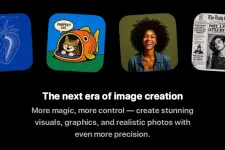
OpenAI has announced ᑕᕼᗩTGᑭT Images 2.0, describing it as “a new era of image generation.” The release positions the model as more than a tool for making attractive pictures. The main idea is that it can produce precise, usable visual assets for practical work such as explainers, marketing materials, comics, UI concepts, educational graphics, and multilingual designs.
What Is improved
Images 2.0 is a major step forward in:
1. Instruction following and precision
The model is designed to handle more complex visual tasks with better accuracy. OpenAI says it is stronger at placing and relating objects correctly, preserving requested details, and rendering visuals that are closer to what the user actually asked for.
2. Dense text and layout handling
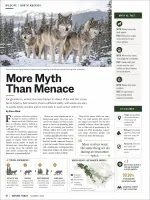
As a major focus of the release, it has improved performance on things that typically break image models, including:
- small text
- UI elements
- iconography
- labels
- dense compositions
3. Multilingual generation
Images 2.0 performs much better beyond English and Latin-script languages. OpenAI specifically highlights improvements in:
- Japanese
- Korean
- Chinese
- Hindi
- Bengali
4. Style fidelity and realism
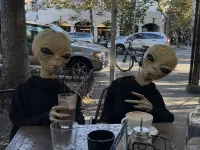
The model is better at capturing the defining characteristics of many visual styles, including:
- photorealism
- cinematic stills
- manga
- pixel art
- comics
- marketing creative
5. Flexible aspect ratios
The model supports outputs as wide as 3:1 and as tall as 1:3, which makes it easier to create visuals for banners, slides, posters, mobile screens, bookmarks, and social media formats.
6. More current world knowledge
The model has a knowledge cutoff of December 2025, which is useful for educational graphics, explainers, summaries, and other visuals where factual relevance matters.
“Thinking” capabilities
One of the biggest product points is that Images 2.0 is described as OpenAI’s first image model with thinking capabilities.
When used with a thinking or pro model in ᑕᕼᗩTGᑭT, the system can:
- search the web for real-time information
- generate multiple distinct images from one prompt
- double-check its own outputs
This moves image generation closer as a visual thought partner rather than a simple prompt-to-image tool.
Multiple outputs in one go
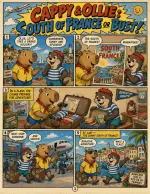
OpenAI also highlights a new workflow feature: with thinking enabled, users can request up to eight related outputs in one prompt.
The examples suggest this could be useful for:
- multi-page comics
- room redesign concepts
- poster variations
- social assets across different aspect ratios and languages
The value here is continuity. Characters, objects, and visual structure can remain consistent across a sequence of outputs.
Codex and API integration
Images 2.0 is also being integrated into Codex, where it can be used for visual work related to apps, websites, decks, design ideas, marketing assets, and product concepts.
For developers, the same capabilities are available through the API as gpt-image-2. This is useful for:
- localized advertising
- explainers and infographics
- educational content
- design tools
- creative platforms
- web creation products
Limitations
Note that the model is not perfect and it can still struggle with:
- fully coherent physical-world reasoning
- origami guides
- puzzles like Rubik’s Cubes
- details on hidden, angled, or reversed surfaces
- very dense or repetitive detail.diagrams and labels that require exact arrows or precise part labeling
Availability
ᑕᕼᗩTGᑭT Images 2.0 is available starting now to all ᑕᕼᗩTGᑭT and Codex users. Advanced outputs with thinking are available to ᑕᕼᗩTGᑭT Plus, Pro, and Business users. Gpt-image-2 is available in the API, with pricing depending on quality and resolution
Bottom line
ᑕᕼᗩTGᑭT Images 2.0 is a significant upgrade focused on precision, text rendering, multilingual output, style accuracy, flexible formats, and more capable image workflows. OpenAI is clearly positioning it not just as an image generator, but as a tool for producing more complete, real-world visual deliverables.
Learn more about this update here

Examples:
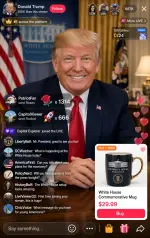
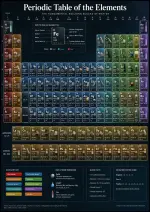
GPT Image 2
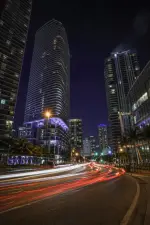
Nano Banana Pro
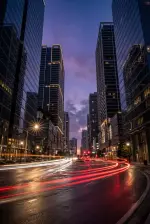
Your feedback is highly appreciated

Support my other posts 
- Google just KILLED Photoshop!
- 50 Brilliant Ways to Supercharge Creativity with Nano Banana
- Nano Banana Prompt Gallery
- AI Fashion Studio: AI Virtual Try-On Powered By Nano Banana
- Free Image Upscaler up to 16K Quality!
- Travel the World with Nano Banana
- AI Profile Picture Generator
- AI Snapshot Generator
- ᑕᕼᗩTGᑭT Prompt Packs
- Perplexity at Work
- DumPDF: PDF Editor
- LuxPDF: Open Source PDF Tools
- Gemini Edu ID Card Generator
- CanVâ Education Invite Link 2
- Create UNCENS0RED/NSFW AI Characters
- Student ID Card Prompt
- Nano Banana Pro Image And Prompt Gallery
- Create 4K Nano Banana Pro Images
- Create Pro-Grade Infographics
- IHatePDF: Toolkit For Everyday Documents
- Stunning Nano Banana Prompts Gallery
- Lyria 3: Google's AI Music Studio
- Meet Gemini 3.1 Pro
- Create City Map Posters
- Seedream 5.0 Lite: A Smart, Web-Aware AI Image Model
- Nano Banana 2: ProLevel Image Generation at Flash Speed
- GPT‑5.4: OpenAI’s New Flagship GPT‑5‑Series Model
- Inside MAI‑Image‑2
- Meet Luma Uni-1
- Microsoft's New MAI Stack
- VEO 3.1 Free on Google Vids
- StreameX: Free Movies, TV Shows and Anime
- Notebooks in Gemini
- Introducing Meta's Muse Spark
- 10 Google Gemini Photography Gems
- 12K+ Nano Banana Prompts
- Introducing Google Flow Music
- SplitAnImage Image Splitting Tool