 PH
PH
UbikiTouch v1.16.5 [Pro]
UbikiTouch is a productivity utility that enables system-wide and app-specific gesture navigation via screen edge triggers. It allows users to automate repetitive tasks and execute complex action sequences through customizable menus.Technical Specifications
| Category | Details |
|---|---|
| Android Version | 5.0 and up |
| Monetization | Pro Version (Premium Unlocked), No Ads |
| Network | Offline (No Internet permission required) |
| Input Methods | Pie menu, Curve menu, Wave menu, Fluid effect, Remote cursor |
| Hardware Config | Up to 15 independent triggers (customizable size, color, and position) |
Key Functionality
- App-Specific Gestures: Define unique actions for individual screens within specific applications (button presses, item selection, swipes).
- Action Sequencing: Chain multiple actions to automate complex workflows.
- Global Navigation: System commands including Back, Home, Recent Apps, Last App, Split Screen, and Power/Volume sliders.
- System Toggles: Quick controls for WiFi, Bluetooth, GPS, Auto-Rotate, and Brightness.
- Trigger Logic: Up to 10 actions per trigger with deep customization of animations and styles.
Pro Features
- Unlimited application task definitions.
- Access to the full 15-trigger limit.
- Expanded action library (launching shortcuts, Gmail labels, Dropbox folders).
- Advanced UI controls: Remote cursor, Recent Applications menu, and Volume/Brightness sliders.
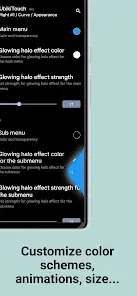
- Full menu aesthetic customization (animations, scaling, color profiles).
Permissions & Privacy
UbikiTouch utilizes the Accessibility Service to perform the following technical operations:- Foreground Detection: To apply user-defined rules based on the active application.
- Overlay Display: To render trigger zones and navigation menus.
- Touch Emulation: To execute recorded custom actions and standard navigation (Home/Back).
- Privacy Guard: No data is collected or transmitted; the app lacks the permission to access the internet.
Device Specific Configurations
| Manufacturer | Required Configuration Path |
|---|---|
| HUAWEI | [Settings] -> [Advanced settings] -> [Battery manager] -> [Protected apps] -> Enable UbikiTouch |
| XIAOMI | [Settings] -> [Permissions] -> [Autostart] -> Enable UbikiTouch |
| XIAOMI | [Settings] -> [Battery] -> [Battery Saver] -> [Choose apps] -> UbikiTouch -> [No restrictions] |
Changelog (v1.16.5)
- New Root Actions:
- Previous app
- Recent apps
- Kill current application
- Remove current/all apps from Recents
- Bug Fixes:
- Resolved incorrect display of custom icons.
- Fixed backup restoration failures under specific environment conditions.