 PH
PH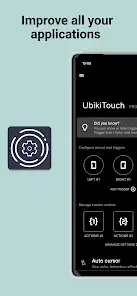
UbikiTouch v1.16.9 [Pro]
UbikiTouch is a gesture-based automation tool that enables users to enhance application navigation and workflow via screen-edge swipes. It supports global system actions and application-specific automation sequences.Technical Specifications
| Category | Requirement / Detail |
|---|---|
| Version | 1.16.9 [Pro/Premium Unlocked] |
| Android OS | 5.0 and up |
| Architecture | Universal |
| Privacy | No Internet permission required; no data collection |
| Mod Info | Debug codes removed; redundant files cleaned; Pro features enabled |
Core Functionality
- Custom Gestures: Define unique actions for specific applications or individual screens within an app.
- Automation: Sequence multiple actions (button presses, item selection, swipes) to automate repetitive tasks.
- Global Navigation: System-wide triggers for Back, Home, Recent Apps, and Split Screen.
- System Toggles: Control Bluetooth, Wi-Fi, GPS, Auto-Rotate, Sound, and Brightness.
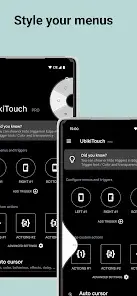
- Menu Styles: Choose between Pie, Curve, Wave, or Cursor interfaces.
Pro Features
- Unlimited Applications: Define custom tasks for an unrestricted number of apps.
- Expanded Triggers: Up to 15 independent triggers with full customization of placement, size, and color.
- Advanced Actions: Access to remote cursor, recent applications menu, and shortcut launching (e.g., Gmail labels, Dropbox folders).
- Sliders: Integrated volume and brightness adjustment sliders within the interface.
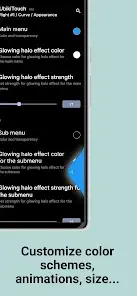
- Full Customization: Granular control over menu animations, dimensions, and aesthetics.
Permissions & Security
This application utilizes Accessibility Services to facilitate the following:- Screen Monitoring: Detects foreground applications to apply user-defined rules and display trigger zones.
- Action Execution: Performs navigation (Home, Back), touch interactions, and recorded custom sequences.
Device-Specific Configuration
| Manufacturer | Required Steps |
|---|---|
| HUAWEI | [Settings] -> [Advanced settings] -> [Battery manager] -> [Protected apps] -> Enable UbikiTouch |
| XIAOMI | Autostart: [Settings] -> [Permissions] -> [Autostart] -> Enable UbikiTouch Battery: [Settings] -> [Battery] -> [Battery Saver] -> [Choose apps] -> UbikiTouch -> Select No restrictions |
Changelog
- v1.16.9: Improved vibration support for recent Android versions.