 PH
PH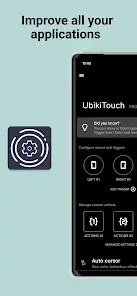
UbikiTouch v1.16.10 [Pro]
UbikiTouch is a gesture-based automation and navigation utility that allows users to execute actions by swiping the edges of the screen. It features per-app customization, enabling specific automated sequences for individual application screens.Technical Specifications
| Category | Requirement / Detail |
|---|---|
| Android Version | 5.0 and up |
| Current Version | 1.16.10 |
| License | Pro / Premium (No Ads) |
| Internet Access | None (No internet permission required) |
| Permissions | Accessibility Service (View/control screen, perform actions) |
Key Functionality
- Custom Per-App Actions: Define specific triggers for individual screens within any application, including button presses, item selection, and swipes.
- Task Sequencing: Chain multiple actions together to automate complex workflows.
- Trigger Configuration: Support for up to 15 independent triggers with customizable placement, size, and color.
- Global Navigation: System-wide triggers for Back, Home, Recent Apps, Split Screen, and Previous App.
- System Toggles: Control Bluetooth, Wifi, GPS, Auto-Rotate, Sound, and Brightness.
- Launchers: Direct execution of applications or shortcuts (e.g., Dropbox folders, Gmail labels, contacts).
Interface Options
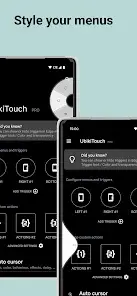
Users can select from four distinct menu styles to display triggered actions:- Pie Menu
- Curve / Fluid Effect Menu
- Wave Menu
- Remote Cursor (For one-handed navigation)
Pro Version Features
- Unlimited Applications: Define custom tasks for an unlimited number of apps.
- Advanced Triggers: Full access to all 15 independent trigger zones.
- Enhanced Actions: Access to the Recent Applications menu and application/shortcut launching.
- System Sliders: Adjust volume and brightness directly via sliders.
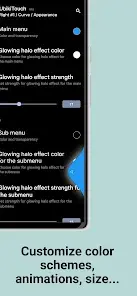
- Full Customization: Deep configuration of menu animations, sizes, and colors.
Device-Specific Configuration
HUAWEI
To ensure background stability, the app must be added to "Protected apps":[Settings] -> [Advanced settings] -> [Battery manager] -> [Protected apps] -> Enable UbikiTouchXIAOMI
Manual autostart and battery optimization settings are required:[Settings] -> [Permissions] -> [Autostart] -> Enable UbikiTouch[Settings] -> [Battery] -> [Battery Saver] -> [Choose apps] -> UbikiTouch -> Select "No restrictions"
Changelog
- v1.16.10: Resolved crash issues occurring on Android 6 devices.