 PH
PH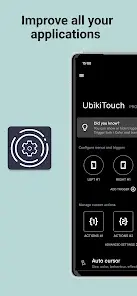
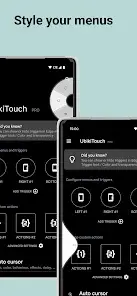
UbikiTouch v1.16.11 [Pro]
UbikiTouch is an automation and navigation utility that enables system-wide and app-specific gesture controls via edge-swiping. It allows users to map gestures to custom actions, automate repetitive tasks, and sequence multiple actions per screen.App Specifications
| Parameter | Details |
|---|---|
| Version | v1.16.11 |
| Android OS | 6.0 and up |
| Architecture | Universal |
| Ads | None |
| Mod Features | Pro/ρáíd features unlocked, debug code removed, residual files cleaned (Modded by TRUMods) |
Core Features
- Custom Triggers: Configure up to 15 independent triggers with customizable placement, size, and colors.
- Multi-Action Triggers: Assign up to 10 actions per individual trigger.
- Interface Options: Choose between four menu styles: Pie, Curve, Wave, or Cursor.
- In-App Automation: Define targeted actions (button presses, item selections, swipes) for specific application screens, with support for complex action sequencing.
- Global Navigation & Toggles: Back, Home, Recent Apps, Previous App, Split Screen, Cursor, Launch App, Launch Shortcut (e.g., Dropbox folder, Gmail label, contact, route), and hardware toggles (Wi-Fi, Bluetooth, GPS, Auto-Rotate, Sound, Brightness).
Pro Version Benefits (Unlocked)
- Unlimited application-specific task definitions.
- Configuration of up to 15 independent triggers.
- Access to advanced actions, application/shortcut launching, and the remote cursor interface.
- Access to the Recent Applications menu.
- Volume and brightness adjustment via sliders.
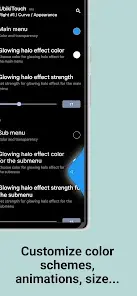
- Complete menu customization (animations, size, and color).
What's New
- Added Previous app action (Requires Shizuku)
- Added Recent apps action (Requires Shizuku)
- Added Kill current app action (Requires Shizuku)
- Added Remove current app from recent apps action (Requires Shizuku)
- Added Remove all apps from recent apps action (Requires Shizuku)
- Fixed an issue where in-app purchases were unavailable on certain Android versions.
Privacy & Permissions
The application does not require Internet authorization and operates strictly offline. It utilizes the Android Accessibility Service to execute its features.Required Permissions:
- View and control screen: Used to detect the foreground application for rule enforcement, display trigger zones/menus, and record custom actions.
- View and perform actions: Used to execute navigation actions, touch inputs, and custom action sequences.
Device-Specific Configurations
Huawei Devices
Add the application to the protected apps list to prevent system termination:Settings -> Advanced settings -> Battery manager -> Protected apps -> Enable UbikiTouchXiaomi Devices
Enable autostart and remove battery restrictions:Settings->Permissions->Autostart-> Enable UbikiTouchSettings->Battery->Battery Saver->Choose apps-> Select UbikiTouch -> Select No restrictions

.webp "(ditto) :(ditto):")
