 PH
PH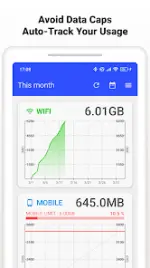
Data Usage Monitor v1.22.2938 [Premium Mod]
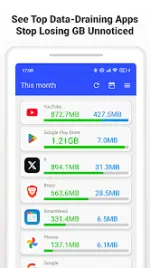
Data Usage Monitor provides automated tracking of mobile and Wi-Fi network traffic. It utilizes the Android background API to monitor consumption patterns, provide per-app analytics, and issue alerts based on user-defined data caps.Application Specifications
| Category | Details |
|---|---|
| Android Version | 7.0 and up |
| Latest Version | 1.22.2938 |
| Architecture | armeabi-v7a, arm64-v8a |
| Modder | TRUMods |
Key Features
- Automated Tracking: Continuous measurement via background API; persists through device reboots with minimal battery consumption.
- Granular Breakdown: Segregated mobile and Wi-Fi totals, per-SSID statistics, and individual app usage tracking.
- Data Analytics: Daily, weekly, and monthly trend graphs with color-coded limit proximity indicators.
- Alert System: Customizable push notifications for data cap thresholds.
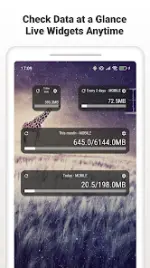
- Monitoring Tools: Live home screen widgets and status bar integration for real-time remaining data.
Modification Details
- Premium Unlocked: All premium features and enhanced widgets enabled.
- Ad-Free: Advertisements and tracking code removed.
- Optimization: Debug codes removed and temporary/useless files cleaned.
Permissions & Requirements
| Permission | Technical Requirement |
|---|---|
| Usage Access | Essential for gathering per-app data statistics. |
| Wi-Fi & Location | Required by Android OS to identify SSIDs for Wi-Fi usage logging. |
| Network Access | Used for anonymized improvement data and legacy ad hooks. |
| Run at Startup | Allows the app to resume tracking immediately after a reboot. |
| Billing | Associated with original premium verification. |
Changelog
v1.22.2938- Refined top screen UI elements.
- Optimized purchase status reflection processing.
- General minor bug fixes.
- Fixed simultaneous display error for Wi-Fi and mobile data in the total order list.
- UI enhancements for top and detail screens.
- Resolved layout issues for 1x1 widgets.
- Standardized Wi-Fi and mobile network nomenclature.
Technical FAQ
- Setting Alerts: Navigate to
Settings > Data Alertsto define caps and warning thresholds. - Widget Synchronization: If widgets fail to update, disable system battery optimization for the app and ensure background activity is permitted.
▸ DOWNLOAD OPTIONS
1. MIRROR
- Primary 1: You do not have permission to view the full content of this post. Log in or register now.
- Mirror 1: Download