 PH
PH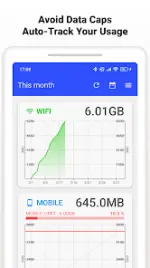
Tech Forum Release: Data Usage Monitor v1.22.3006 [Premium Mod]
An optimized utility application that automatically tracks and monitors mobile and Wi‑Fi data traffic using the Android background API.App Specifications
| Detail | Specification |
|---|---|
| OS Requirement | Android 7.0 and up |
| Version | 1.22.3006 |
| Architecture (CPUs) | armeabi-v7a, arm64-v8a |
| Modifications | Premium features unlocked; removed all debug codes and unnecessary files |
| Modder | TRUMods |
Core Features
- Automatic Tracking: Utilizes the Android background API to maintain data measurement following device reboots with minimal battery consumption.
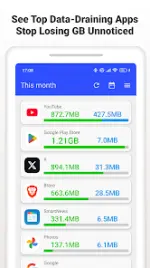
- Precise Breakdown: Separates mobile and Wi‑Fi totals, provides per-SSID statistics, and details individual app-by-app data consumption.
- Clear Analytics: Generates trend graphs categorized by day, week, or month with integrated color cues for approaching data limits.
- Smart Alerts: Deploys push notifications based on customizable thresholds when approaching data caps.
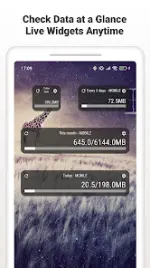
- Widgets & Status Bar: Features live remaining data indicators directly on the home screen and notification bar.
Premium Features (Unlocked)
- Ad-Free Experience: All advertisements are completely removed from the interface.
- Enhanced Tracking: Access to always-on status bar meters and advanced widgets for precise tracking.
Permissions & Functionality
| Permission | Purpose |
|---|---|
| Usage Access | Required to retrieve per-app data statistics. |
| Wi‑Fi Info & Location | Required by the Android OS to read specific SSIDs for Wi‑Fi usage. |
| Network Access | Utilized for ads and anonymized improvement telemetry. |
| Run at Startup | Resumes background data tracking automatically after a device reboot. |
| Google Play Billing | Standard requirement for processing premium verification. |
Carrier Compatibility
Compatible with major carriers and MVNOs globally, including: Verizon, AT&T, T-Mobile, Docomo, au, SoftBank, Rakuten, UQ, Y!mobile, IIJmio, OCN, BIGLOBE, and mineo.Changelog (v1.22.3006)
- Adjusted the graph display across all screens.
- Improved the user interface (UI) of the details screen.
- Fixed a rendering issue where system navigation elements were obscured on specific devices.
- Implemented minor bug fixes.
Troubleshooting & FAQ
How do I set the alert limit? Navigate to Settings > Data Alerts to configure specific cap and warning thresholds.
Main link: Download Mirror link1: DownloadWhy is the widget not updating? Disable system battery saver restrictions for this application and ensure background activity is permitted.

.webp "(ditto) :(ditto):")
