 PH
PH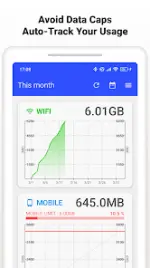
Data Usage Monitor v1.22.2976 [Premium]
Data Usage Monitor provides automated measurement of mobile and Wi‑Fi traffic with integrated graphing and threshold alerts. The application utilizes background APIs to monitor network consumption across various timeframes and individual applications.Technical Specifications
| Category | Details |
|---|---|
| Version | v1.22.2976 |
| Android OS | 7.0 and up |
| Tracking Method | Android Background API (persistent after reboot) |
| Battery Impact | Minimal |
Core Features
- Automated Tracking: Continuous monitoring of mobile and Wi-Fi data totals.
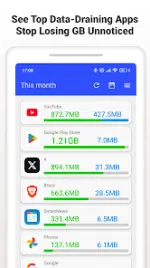
- Granular Analytics: Data breakdown by SSID and individual application usage.
- Visual Reporting: Daily, weekly, and monthly trend graphs with color-coded limit indicators.
- Threshold Alerts: Push notifications based on customizable data caps.
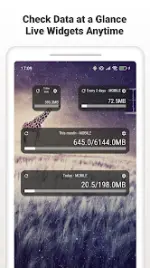
- UI Integration: Live status bar meters and home screen widgets for real-time monitoring.
Premium Enhancements
- Ad-Free: Removal of all third-party advertisements.
- Advanced UI: Access to the always-on status bar meter and expanded widget options.
Permissions & Requirements
| Permission | Purpose |
|---|---|
| Usage Access | Required for per-app data statistics. |
| Wi-Fi & Location | Required by Android to identify SSIDs for network-specific tracking. |
| Network Access | Used for anonymized improvement data. |
| Run at Startup | Ensures background tracking resumes after a device reboot. |
| Google Play Billing | Management of premium license status. |
Configuration & Support
- Carrier Compatibility: Supports major carriers and MVNOs including Verizon, AT&T, T-Mobile, Docomo, au, SoftBank, Rakuten, UQ, Y!mobile, IIJmio, OCN, BIGLOBE, and mineo.
- Alert Configuration: Accessible via
Settings > Data Alertsto define caps and warning levels. - Widget Troubleshooting: To ensure consistent updates, disable battery optimization for the app and verify background activity is permitted.