 PH
PH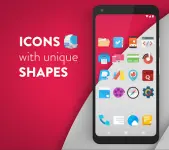

Moonshine Pro - Icon Pack v3.8.4
Moonshine Pro is a vector-based icon suite designed following Material Design guidelines. The pack utilizes a "free form" aesthetic, featuring a mix of long shadows, flat elements, and vibrant color palettes rather than uniform icon shapes.Technical Specifications
| Feature | Requirement / Detail |
|---|---|
| Android Version | 6.0 and up |
| Version | v3.8.4 [Patched] |
| Launcher Requirement | Custom launcher required (Nova, Apex, Action, etc.) |
| Dashboard | Material Design Dashboard |
| Wallpaper Support | Muzei Wallpaper Support |
Content Overview
| Category | Quantity / Details |
|---|---|
| Total Icons | 1,600+ Vector Icons |
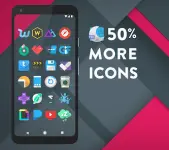
| Pro Exclusive Icons | 500+ Additional Icons |
| Wallpapers | 100+ Material Design Inspired HD Wallpapers |
| Widgets | System widgets and editable KWGT widgets |
Included Widgets
The application provides native system widgets that function independently. KWGT-specific files are included for users who wish to perform advanced edits via the KWGT app.- Battery: 2 variants
- Digital Clock: Fully editable
- Analog Clock: 1 variant
- Weather: 1 variant
Compatibility
The icon pack officially supports the following launchers:- Nova, Apex, ADW, Smart, Unicon, Action, Aviate, Go, Next, Holo, Solo, KK, Atom, Evie, and Inspire.
Installation Procedure
- Launcher Setup: Install a compatible custom launcher.
- Icon Application: Access the Apply tab within the Moonshine Pro dashboard and select the active launcher.
- Wallpaper Selection: Navigate to the Wallpapers tab to browse and set backgrounds.
- Icon Management: Use the integrated Icon Picker to view and search the library.
Changelog
- General bug fixes.