 PH
PH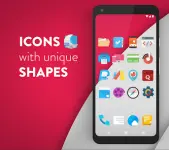

Moonshine Pro - Icon Pack v3.8.7
Moonshine Pro is a comprehensive icon and customization suite designed based on Material Design guidelines. The pack utilizes a "free form" aesthetic, moving away from uniform icon shapes in favor of unique vector designs with flat elements and long shadows.Technical Specifications
| Category | Details |
|---|---|
| Version | v3.8.7 [Patched] |
| Android OS | 6.0 and up |
| License | Pro / Premium |
| Requirements | Custom Launcher required (e.g., Nova, Apex, Action) |
Core Features
- Iconography: Over 1,600 vector-designed icons.
- Wallpapers: 100+ Material Design-inspired HD wallpapers with Muzei support.
- Dashboard: Material Design-based dashboard application for easy navigation.
- Icon Picker: Integrated tool to view and select the latest icon additions.
Included Widgets
The application provides both standard system widgets and editable KWGT files. KWGT is not required for the system versions.- Battery: 2 distinct widget styles.
- Clocks: Fully editable digital clock widgets and one analog clock widget.
- Weather: Dedicated weather tracking widget.
Pro Version Enhancements
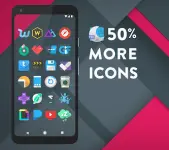
- 500+ exclusive icons beyond the base version.
- Additional Material Design-inspired HD wallpapers.
- Access to editable KWGT widget files.
Compatibility
The pack officially supports the following launchers:- Nova, Apex, ADW, Smart, Action, Unicon, Aviate
- Go Launcher, Next, Holo, Solo, KK, Atom, Evie, Inspire
Installation Procedure
- Install a compatible custom launcher.
- Open the Moonshine Pro application.
- Navigate to the Apply tab and select the active launcher.
- Wallpapers are accessible via the Wallpapers tab within the app dashboard.
Recent Updates
- Resolved bugs affecting the digital clock widget.
- Integrated link for online icon requests.