PH
PH
Mga bossing! Sino dito madalas mag-Zoom/Teams/#forbidden# tapos maingay sa background? Kids sumisigaw, aso tumatahol, aircon humuhuni, or kapitbahay nagre-renovate? 
Try nyo 'tong Krisp – AI-powered noise remover na legit na gumagana sa PC (Windows). Tinatanggal nya yung lahat ng unwanted noise sa mic mo at sa naririnig mo from others. Parang magic!
Pros:
Super dali setup (2-3 mins lang)
Works with Zoom, Google Meet, Teams, #forbidden#, Skype, etc. – no need mag-tweak sa app mismo
Cracked
Paano gamitin (step-by-step, para di malito):
Download then extract file Download
You have ''Krisp.exe'' and ''krisp-v1.40.7-x64.msi'' in that folder
Install krisp-v1.40.7-x64.msi
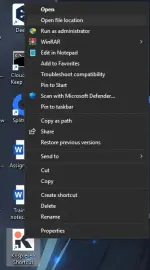
After installation, krisp desktop shortcut appears, right click it and click "Open file location"
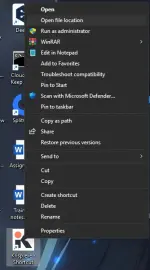
4. Copy and replace the ''Krisp.exe'' in that folder
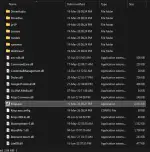
Screenshots:
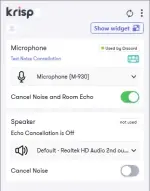
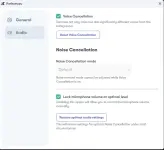
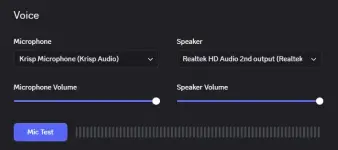
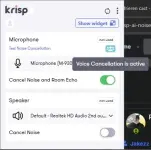
Note: If you want to use Voice Cancellation, run the Krisp.exe then setup the voice cancellation. (100% voice mo lang maririnig)
Ako gamit ko lagi sa work calls – parang pro na voice ko, walang "sorry ingay sa labas" excuses  Clean talaga.
Salamat sa pagbabasa, try nyo at feedback!