 PH
PH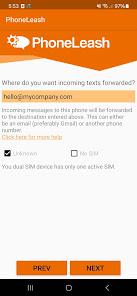
Application Overview
PhoneLeash: SMS Auto Forwarder provides synchronization between SMS/MMS messages and email accounts, enabling direct replies from an email inbox. The application maintains threaded conversations, supports group messaging, and handles media attachments.Version Information
| Feature | Details |
| App Name | PhoneLeash: SMS Auto Forwarder |
| Version | v6.72 b272 [Premium] |
| System Requirement | 7.0+ |
Core Functionality
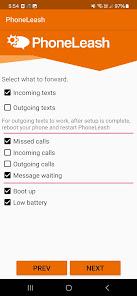
- Messaging Synchronization: Forwards both incoming and outgoing SMS/MMS and RCS (via Google Messages) to email.
- Email-to-SMS/MMS: Replies sent from an email client are delivered as SMS or MMS from the mobile device; email signatures are automatically stripped.
- New Message Initiation: Start new conversations by emailing a recipient's contact name or phone number.
- Call/Voicemail Handling: Notifications for incoming, outgoing, and missed calls, including call duration and voicemail alerts.
- Dual-SIM Support: Automatically routes replies through the SIM card that received the original message.
- Remote Control: Execute commands via text to start/stop forwarding, monitor battery/charging status, and receive device status alerts.
Technical Features & Filtering
| Category | Functionality |
| Filtering | Keyword-based, Contact-based, and OTP-only modes. |
| Media | MMS picture messages and attachments. |
| Forwarding Targets | Email (supports threading) or secondary phone numbers via SMS. |
| Configuration | Serverless setup; compatible with Gmail, Outlook, Yahoo, and other providers. |
Operational Specifications
- Performance: No daily message limits; no device limits.
- Compatibility: Supports direct and group chats.
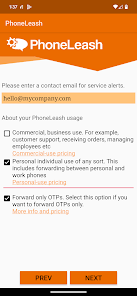
- Deployment: Standard installation requires permission acceptance and email address registration.