 PH
PH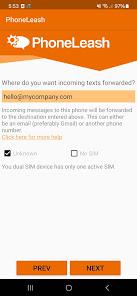
App Overview: PhoneLeash
PhoneLeash provides automated forwarding of SMS, MMS, and other messaging types to email, enabling message management and replies directly from an email inbox. It maintains conversation threads, including group messages and image attachments, within the email client.| Specification | Details |
| App Name | PhoneLeash: SMS Auto Forwarder |
| Version | v6.71 b271 [Premium] |
| Minimum OS | Android 7.0+ |
| Compatibility | Gmail, Outlook, Yahoo, or any email provider |
Core Functionality
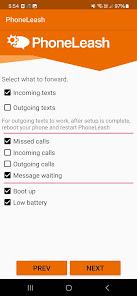
- Message Mirroring: Forwards both incoming and outgoing SMS/MMS, including group messages and image attachments.
- Email Replies: Replies sent via email are transmitted as SMS/MMS from the source phone. Email signatures are automatically stripped.
- New Message Initiation: New SMS conversations can be started via email using specific syntax (
@ContactNameor@PhoneNumber). - Call & Voicemail Integration: Logs incoming, outgoing, and missed calls with duration. Supports text replies directly from call notifications.
- Dual-SIM Support: Automatically selects the correct SIM card for replies based on the original message source.
- Remote Control: Offers text-based commands for forwarding management, battery status checks, and system notifications (boot/shutdown).
Forwarding Capabilities
- SMS & MMS: Full support for standard and picture messages.
- Messaging Apps: Includes support for RCS (via Google Messages) and various direct/group chat services.
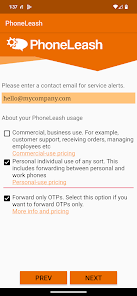
- Authentication: Forwarding of OTP (One-Time Password) codes.
- Flexibility: Supports forwarding to email or a secondary phone number via SMS.
Filtering & Configuration
- Smart Filtering: Configurable via keywords, specific contacts, or an "OTP-only" mode.
- Deployment: Requires no external server configuration. Setup involves installing the app, granting permissions, and registering an email address.
Usage Contexts
- Business: Integration with shared team inboxes.
- Multi-Device: Centralizing messages from multiple phones.
- Accessibility: Enabling message reading in environments where phone use is restricted.
- Archiving: Automated backups of messaging and call history.