 PH
PHCarlos2026
Contributor
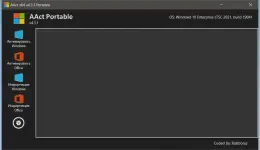
AAct 4.3.3
Version4.3.3
License typefull_version
Overview of Ratiborus AAct
It is designed to handle activation of the system and the productivity suite efficiently. It focuses on delivering a smooth experience without overloading the system or depending on external components. The tool follows a different design philosophy than similar utilities, making it stable, fast, and reliable for everyday use.
Purpose and Core Functionality
The primary purpose of this software is to activate supported Windows editions and Office products with minimal user interaction. It works quietly in the background, applying required changes in a controlled manner. Think of it like a locksmith who already knows the lock's structure, so there is no trial-and-error.
Unique Design Philosophy
What sets this utility apart is its original design ideology. Instead of copying common patterns used by similar tools, it relies on its own internal logic. This fresh approach reduces conflicts and improves consistency. The result feels more polished, like a custom-built engine rather than a modified one.
No External Framework Dependency
One of the most significant advantages is that it does not require any version of the .NET Framework. This keeps the system clean and avoids unnecessary background services. Users can run the tool directly without worrying about installing additional libraries or updates.
Lightweight and Fast Performance
The software is designed to be lightweight and to consume minimal system resources. It launches quickly and completes its tasks without slowing down other applications. Even on older machines, the performance remains smooth and predictable.
Compatibility with Multiple Products
It supports Windows Volume License editions, Windows Server versions, and Microsoft Office. This broad compatibility makes it a single solution instead of juggling multiple utilities. Everything is handled under one roof, saving time and effort.
Simple and User-Friendly Operation
The interface is kept straightforward so users can focus on the task instead of the settings. Buttons and options are clearly laid out, making it easy even for first-time users. It feels like following a short, clear roadmap instead of reading a long manual.
Security-Oriented Execution
The tool operates locally and does not require continuous internet access. This reduces exposure and keeps the activation process contained within the system. It behaves more like an offline toolkit rather than an online service.
Stability and Reliability
Because it is built on proprietary technologies, stability is one of its strengths. The activation process is consistent and less prone to unexpected interruptions. Users often notice fewer errors compared to traditional solutions.
Minimal System Impact
After completing its task, it leaves a minimal footprint. There are no unnecessary background tasks or services running afterward. The system remains clean, organized, and responsive.
Use Cases and Practical Value
This utility is helpful for individuals, IT technicians, and testers who manage multiple Windows and Office installations. It simplifies repetitive activation tasks and reduces setup time. In practice, it feels like having a compact toolbox always at hand.
System Requirements
- Operating System: Windows 11 / 10 / 8.1 / 7
- Processor: Minimum 1 GHz Processor (2.4 GHz recommended)
- RAM: 2GB (4GB or more recommended)
- Free Hard Disk Space: 200MB or more is recommended