PH
PHArissa ofuma
Contributor
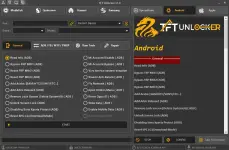
Here You Can Download TFT Unlocker v1.0 And Also I Will Step By Step Guide You On How To Install And Use TFT Unlocker For Free, The Tool Is 100% Working.
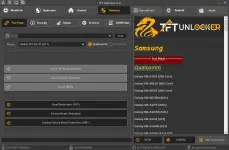
TFT Unlocker Tool is a small tool developed by IQ team. This free tool can unlock MediaTek, Qualcomm, Huawei, Samsung, Android, and Apple devices. besides that, the tool is very easy to use and offers many features with a clean user interface.
You do not have permission to view the full content of this post. Log in or register now.
 File Password: 2025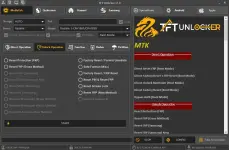
Download Link
Mediafire You do not have permission to view the full content of this post. Log in or register now.
MEGA You do not have permission to view the full content of this post. Log in or register now.
RAR Password: TFT
TFT Unlocker v1.0 Features
MTKDirect Operation
- Direct Reset FRP (Boot Mode)
- Direct Factory Reset + FRP Reset (Boot Mode)
- Direct Unlock Bootloder (Boot Mode)
- Direct Factory Reset (Boot Mode)
- Bypass Auth (Boot Mode)
- Reset Protection (FRP)
- Reset FRP (Erase Method)
- Reset FRP (Samsung)
- Reset FRP (Samsung) New
- Reset MDM (Samsung)
- Reset KG (Samsung
- Remove MiAccount (Erase Method)
- Remove MiAccount (ρá†ch Method)
- Reset Mi Account (New Method)
- Factory Reset / Format Userdata
- Safe Format (Misc)
- Factory Reset / FRP Reset
- Reset PIN & Reset FRP
- Reset Screen Lock
- Reset FRP (New Method)
- Remove Huawei ID
- Unlock Bootloder
- Relocking Bootloder
- Auth Bypass
- Reset NV Data
- Backup Dump Boot
- Permenently Unlock
- Read Dump Preloader
- Read Flash
- Backup OEM Huawei
- Restore OEM Huawei
- Remove For Demo Vivo
- Remove For Demo Oppo
- Remove For Demo Realme
- Fix Dl Not Complete Oppo A15
- Fix Dl Not Complete Oppo A1k
- Fix Dl Not Complete Realme C2
- Backup Nvdata / Nvram
BROM version
- v7.1717.04
- v7.1813.03
- v7.1824.00
- AUTO
- MT6735
- MT6737
- MT6739
- MT6750
- MT6752
- MT6755
- MT6765
- MT6771
- MT6785
- Boot Info
- Reset FRP
- Factory Reset
- Auth Security Bypass
- Backup EFS
- Restore EFS
- Write Partition Config XML
- Read Selected Partitoins
- Format Selected Partitions
- DM-Verity Corrupted Error Fix
- Erase NVData,NVRM
- Meta Unlock 1 (Realme)
- Meta Unlock 2 (Realme)
- Meta Unlock 3(Realme)
- Meta Unlock 4 (Realme)
- Meta Unlock 1 (Oppo)
- Meta Unlock 2 (Oppo)
- Meta Unlock 3(Oppo)
- Meta Unlock 4 (Oppo)
- Meta Unlock 1 (Vivo)
- Meta Unlock 2 (Vivo)
- Meta Unlock 3(Vivo)
- Meta Unlock 4 (Vivo)
- Download the zip file from the provided link.
- Extract the zip file to your desktop.
- Double-click the setup file to start the installation.
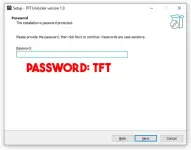
- Follow the prompts to complete the installation.
- Once installed, close the setup window.
- Go back to the desktop and open the tool using the shortcut.
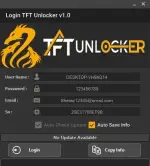
- After That, You Will See Login Popup
- Enter Any Email Or Password
- Then Click On Login Button