🔵 Globe PSA: New superadmin creds detected on HG8145X6-10 with Globe's new blue(vue) WebUI

bjarnco32

Forum Guru
So it looks like Globe is rolling out with new superadmin credentials on its latest release of firmware, at least on HG8145X6-10. I'm not sure at which update this started, but here's the details of the unit I'm working with:

Software version:
V5R022C00S420
ReleaseTime:
2025-03-04_11:53:02

You will know you're running this release with the updated superadmin creds when you can only login admin and tech on this WebUI:

Screenshot from 2025-06-02 19-51-27.webp


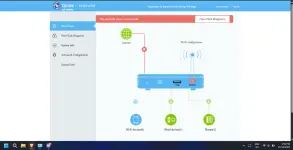
And you can't login using superadmin above. Instead, you need to get to this WebUI:
Screenshot from 2025-06-02 19-51-46.webp


And here you can only use superadmin login creds.

I'll let you know how to get to this new login page, once we get the latest superadmin creds, which you need to decipher here:
You do not have permission to view the full content of this post. Log in or register now.
 
Hi guys. I just had my router installed today, and I got the new WebUI. How do I get to the second webui posted above? Thank you in advance.
 
As stated above, you can't do anything in that login page without knowing the new superadmin password. All other logins, apart from superadmin, are not allowed.
Got it, just wanted to know how to get there and use the superadmin creds when its available or try out some superadmin creds that are popping online.
 
Interested in this superadmin access as well, but for now tech user is accessible this way:

user: tech
Password: tech + @ + [first 2 characters of MAC] + [last 3 characters of S/N]

I have different firmware version: V5R024C00S106, and my superadmin creds are different, here:

XML:
<X_HW_WebUserInfoInstance InstanceID="2" UserName="superadmin" Password="$2gmHRR_]rL@DB3F7.#~`/HLn75M}&quot;t&gt;D3qF(ypd}$A},$@Iv[{Qi(gSHfiH&apos;$4q\oJ&gt;y:eOr&quot;LS*5]{)IzUngWIpR*LAh3v2ch0N=$" UserLevel="0" Enable="1" ModifyPasswordFlag="0" Salt="4Wmh7mDD6/0XivC5BwNPwJv6" PassMode="3" Alias="cpe-2" AccessInterface=""/>
PassMode="3" is a more secure password mode, so decrypting probably not possible without more information.
 
Interested in this superadmin access as well, but for now tech user is accessible this way:

user: tech
Password: tech + @ + [first 2 characters of MAC] + [last 3 characters of S/N]

I have different firmware version: V5R024C00S106, and my superadmin creds are different, here:

XML:
<X_HW_WebUserInfoInstance InstanceID="2" UserName="superadmin" Password="$2gmHRR_]rL@DB3F7.#~`/HLn75M}&quot;t&gt;D3qF(ypd}$A},$@Iv[{Qi(gSHfiH&apos;$4q\oJ&gt;y:eOr&quot;LS*5]{)IzUngWIpR*LAh3v2ch0N=$" UserLevel="0" Enable="1" ModifyPasswordFlag="0" Salt="4Wmh7mDD6/0XivC5BwNPwJv6" PassMode="3" Alias="cpe-2" AccessInterface=""/>

PassMode="3" is a more secure password mode, so decrypting probably not possible without more information.
Your cipher string results to a different hash than mine. Your version looks more recent than mine as well, V5024 vs V5022. Can you post the result of display deviceInfo from the terminal?

PassMode=3 means PBKDF2
 
Your cipher string results to a different hash than mine. Your version looks more recent than mine as well, V5024 vs V5022. Can you post the result of display deviceInfo from the terminal?

PassMode=3 means PBKDF2

No luck getting terminal access, appears to be disabled. Is there a way to enable without superadmin?
 
1000105903.webp

any update about this po? di rin po maka login gamit yung default password sa likod ng router and natry ko na rin yung sa tech@- .
 

About this Thread

  • 22
    Replies
  • 3K
    Views
  • 15
    Participants
Last reply from:
Keiishin

Trending Topics

Online now

Members online
1,026
Guests online
1,352
Total visitors
2,378

Forum statistics

Threads
2,273,331
Posts
28,948,838
Members
1,235,705
Latest member
dkamote13
Back
Top