PH
PHSpeed up your device while on power saving - NO ROOT needed 

Features:
-Thermal Service
-Reset all throttling
-Device idle
-Powersave
-Deterministic UID Idle
-Fixed Performance
Requirements:
-Android 10+ na may wireless debugging feature(no root needed)
-Alternatively ADB method pag walang wireless debugging
-Working brain

Set up:
download 'Brevent' App on Playstore and install it.
1. Turn on Wifi
2. Go to Brevent App
3. Tab on Developer Option
4. Tap on
5. Go to Settings > About Phone.
6. Tap Build Number seven times to unlock Developer Options.
7. Navigate to Settings > Developer Options and enable USB Debugging.
8. Enable Wireless debugging from Developer Option.
9. Then again goto the brevent app and tap on wireless debugging port.
10. Split Screen the [Developer Option settings] and [2.9 Brevent app]
11. Goto Wireless debugging and tap on Pair device with pairing code from Developer Option..
12. Copy the wifi paired code.
13. Put the wireless pairing code in Brevent app and tap on wireless pair
Now, installing the module/zip on your android:
1. Download the module on your android.
PPD link:
You do not have permission to view the full content of this post. Log in or register now.
Established member only:
Spoiler contents are visible only to Established Members.
2. Open the Zarchiver app (If you haven't install Zarchiver yet, kindly search it in Google Playstore and install it) --proceed to #3
3. Extract the downloaded zip file and put the folder on internal storage. (ex. 0/storage/emulated/RastaTweak-Folder)
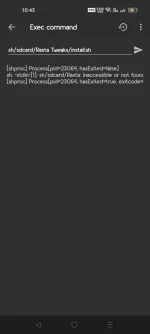
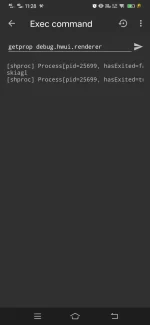
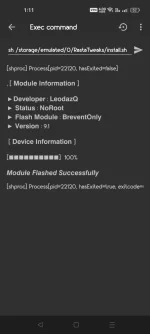
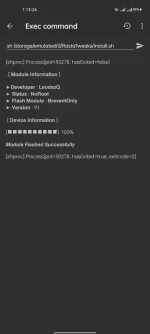
4. Goto Brevent app and tap on Exec command from left site.
5. Installing Command:
Code:
Code:
sh/storage/emulated/0/RastaTweaks/install.shor
Code:
sh/sdcard/Rasta Tweaks/install.sh thanks!