 PH
Elaiza_ikd
Forum Guru

Setup Instructions
1. Install the app on your device.
2. You can download the FRP bypass APK and other required apps to your phone in advance.
3. Open StartPortServer.
- Take note of the Wi-Fi SSID and password displayed.
4. On the FRP-locked device:
- Enter the SSID and password provided by the app.
5. Go to Wi-Fi Settings.
- Select Proxy.
- Enter the following details:
Proxy Settings:
- Proxy Hostname: "192.168.49.1"
- Port: "8080"
6. Connect using these settings.
Once connected, wait for a few moments.
The FRP Bypass screen should appear automatically.
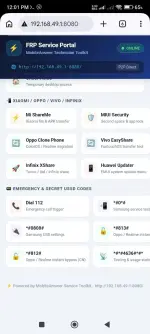
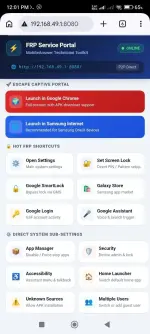
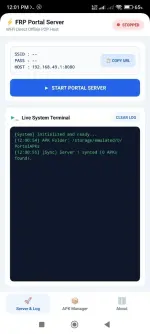
You do not have permission to view the full content of this post. Log in or register now.

#FRP #ESP32 #FRPBypass #GoogleAccount