PH
PH| Feature | Commands |
|---|---|
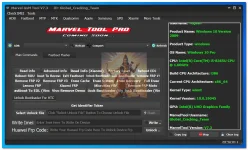
| Marvel GSM Tool V7.3 Crack | Read Full info |
| By GCT Offline | Bypass Lock |
| More Adb Operations | |
| Reboot To: Normal | |
| More Commands | |
| Check Root Reset FRP (old) | |
| Reset FRP (New) Reset Lock | |
| Factory Reset Factory Reset #2 | |
| I C Reboot Run APP: Settings | |
| Open URL / Link: | |
| Write URL / Link Here TOpen Via Adb Mode | |
| Disable DM-Verityt | |
| Enable Language Chinese (Simplified) | |
| ADB (Need Root) | |
| Enable Diag Mode | |
| Reboot ADB TRoot Mode | |
| Install MoreLocal | |
| Backup All Apps | |
| Fix Wireless Test Assistant | |
| Backup WhatsApp Restore WhatsApp | |
| Backup Storage | |
| Restore Storage | |
| Fastboot | Read info |
| Reboot RUU | |
| Remove FRP #2 | |
| Lenovo FRP | |
| Fastboot TEDL (Vivo) | |
| Advanced Info | |
| Reboot TRecovery | |
| Remove FRP #3 | |
| Read Inf(Xiaomi) | |
| Exit Fastboot | |
| Erase Cache | |
| Unlock Bootloader | |
| Erase System | |
| Factory Reset | |
| Lock Bootloader | |
| Erase Recovery | |
| Xiaomi FRP | |
| Vivo Remove Demo | |
| Micromax FRP | |
| Unlock Bootloader (Vivo) | |
| Reboot EDL | |
| Remove FRP #1 | |
| Full Erase | |
| Remove FRP Moto | |
| Relock Bootloader (Vivo) | |
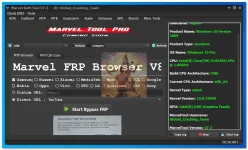
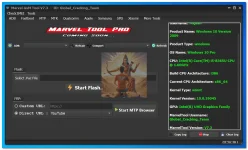
| MTP | Marvel FRP |
| Browser | |
| Moto | |
| Qualcomm | |
| Samsung | |
| Nokia | |
| Custom URL: | |
| Direct URL | |
| Huawei | |
| Oppo | |
| YouTube and more | |
| Xiaomi | |
| Vivo | |
| MediaTek | |
| HTC | |
| TCL | |
| SPD | |
| Google Pixel | |
| Sony | |
| Start Bypass FRP | |
| MTP QR Generator | |
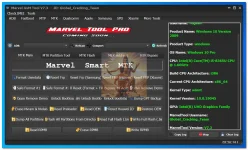
| MediaTek [Main] | Format Userdata |
| Safe Format #1 | |
| Oppo Remove Demo | |
| Erase Nvram & Nvdata | |
| Dump All Partitions | |
| Read RPMB | |
| Reset FRP | |
| Safe Format #2 | |
| Unlock Bootloader | |
| Read Preloader | |
| Reset FRP (Samsung) | |
| Full Reset (Format + FRP) | |
| Safe Unlock Bootloader | |
| Read OEM | |
| Reset FRP (Huawei) | |
| Bypass Mi Account | |
| Relock Bootloader | |
| Reset Huawei ID | |
| Flash All Partitions From the Directory | |
| Erase RPMB | |
| Read Full Flash (.bin) | |
| Reset FRP (Xiaomi) | |
| Vivo Remove Demo | |
| Dump GPT Backup | |
| Restore OEM | |
| Write Full Flash (.bin) | |
| Write RPMB | |
| MTK Partition Tool | Read |
| Write | |
| Erase | |
| MTK Flash Using SP Flash Tool Library | |
| MTK Address Wise Format | |
| FRP | |
| User data | |
| Persist for Xiaomi | |
| MTK Bypass | |
| Bypass (Method1) [Recommended] | |
| Bypass Bootrom (Method2) | |
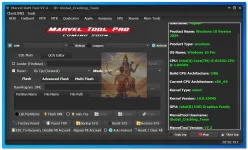
| Qualcomm | List Partitions |
| Factory Reset | |
| EDL To Recovery | |
| Flash XML | |
| Reset FRP | |
| Safe Flash | |
| Disable Mi Account | |
| Write | |
| Backup EFS | |
| Bypass Mi Account | |
| Dump | |
| Reset EFS | |
| Auto Reboot | |
| Erase | |
| Restore EFS | |
| Reset / Clear All | |
| QCN Editor | |
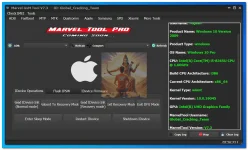
| Apple [iDevice Operation] | Read iDevice Info (Normal) |
| Enter Sleep Mode | |
| Reboot To Recovery Mode | |
| Read iDevice Info (Recovery mode) | |
| Restart iDevice | |
| Exit DFU | |
| Exit Recovery | |
| Shutdown iDevice | |
| Flash IPSW | |
| iDevice Firmware Download | |
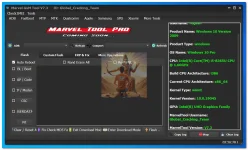
| Samsung | Flash [BL / Boot, AP / Code, CP / Modem, CSC, USERDATA, PIT] |
| Clear / Reset All | |
| Fix Check MD5 Fail | |
| Exit Download Mode | |
| Enter Download Mode | |
| Custom Flash [ Boot Img, System Img, Recovery Img, Cache Img, Modem File, Userdata] | |
| FRP & FIX | Remove Security Notification |
| Fix Factory Mode | |
| Bypass MDM | |
| Bypass Knox | |
| Fix Samsung S-Health | |
| FRP ADB Mode: | |
| ADB Reset FRP (Old Method) | |
| ADB Reset FRP (New Method) | |
| FRP ADB Via MTP Mode | |
| New Devices ERP: | |
| Reset FRP (Brom) | |
| Reset FRP (EDL Mode) | |
| More Operation | MTP Operations: |
| Read MTP Info | |
| Bypass MDM | |
| Enable ADB | |
| Factory Reset | |
| Reboot Device | |
| Convert tar to md5 | |
| Convert md5 to tar | |
| Create ADB File | |
| Make Enable Adb Boot | |
| Remove Warning Logo | |
| SPD | Flash SPD PAC |
| MTP FRP using custom URL | |
| Direct URL or launch the default URL in the tool | |
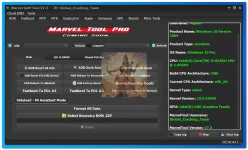
| Xiaomi | ADB Read Full info |
| ADB Reset EFS (Mi) | |
| ADB Reboot To Sideload | |
| Fastboot To EDL #1 | |
| ADB Check Root | |
| ADB Reboot To EDL #2 | |
| ADB Disable Mi Cloud | |
| ADB Reboot To Normal | |
| Enable Diag (No Root) | |
| Exit (Fastboot To Normal) | |
| Sideload: | |
| Format All Data | |
| Recovery ROM .ZIP | |
| BROM Mode | Factory Reset |
| Bypass Auth | |
| Full Reset (Format + FRP) | |
| Bypass Mi Account | |
| Reset FRP | |
| Erase NVRAM & NV DATA | |
| EDL Operations | Custom Loader |
| Select Model | |
| Factory Reset | |
| Reset EFS | |
| Reset FRP | |
| Reboot To Recovery | |
| Bypass Mi Account | |
| Reboot To Normal | |
| Xiaomi Patcher | Xiaomi Mi Account Disable using system.img file, you need system.img file which your device is installed or running, you can read the system.img file and save it into PC, and in the Marvel tool, you can go to Xiaomi > Xiaomi Patcher option and load it. Once you have clicked on the "Start ρá†ch img," export a new img you can flash it using any tool and remove or disable your Mi account. |
| More Tool Section | Testpoint |
| Driver: | |
| Qualcomm 9008 Driver | |
| Nokia MTK Driver | |
| Huawei Drivers | |
| Asus Drivers | |
| Install ADB Driver | |
| SPD I-JniSoc Driver | |
| Samsung USB Driver | |
| Huawei Driver (HiSuite) | |
| LG Driver | |
| C++ All In One Driver (Recommended) | |
| Spd Sci Driver | |
| Apple Driver "64bit" (iTunes) | |
| HTC Driver (HTC Sync) | |
| Oppo Drivers | |
| Install UsbDK Driver (32Bit) | |
| MTK All-In-One Driver | |
| Apple Driver "32bit" (iTunes) | |
| All HTC Drivers | |
| Install MTP Driver | |
| Install UsbDK Driver (64Bit) | |
| IMEI | Generate IMEI Number |
| Firmware Extractor | OPPO [OFP, OZip] |
| Huawei [Marvel Update.APP Extractor] | |
| Samsung [Marvel Tar & MD5 Extractor] | |
| OnePlus [Marvel Ops Extractor] | |
| Marvel LG Dz & Kdz Extractor | |
| Marvel Pac Extractor |
You do not have permission to view the full content of this post. Log in or register now.