PH
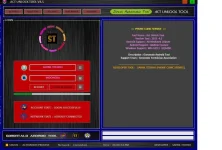
PHACT Unlock Tool V4.5 Support All OPPO INFINIX VIVO MEIZU HUAWEI SAMSUNG REALME LENOVO XIAOMI NOKIA ASUS AUTO Mobile Devices Addition
Userguide For Using ACT Unlock Tool V4.5:
ACT Unlock Tool V4.0 simplifies device repair and unlocking with its intuitive interface and versatile functions. To get started, connect your device to your PC in one of several available modes, such as MTP, Flash, EDL, or USB VCOM. Then, select your desired function, and let the software work its magic.List of Supported ACT Unlock Tool V4.0 Featured Functions 2023.30.09 Update
Unlocking and repairing your device is a breeze with ACT Unlock Tool V4.0. Here’s a list of its impressive capabilities:Factory Reset FRP Erasure (for all MTK devices) Secure Format (PARA) Samsung FRP Unlock (for all MTK devices) Secure Format (Misc) Xiaomi Account Erasure Authentication Bypass Vivo Demo Mode Removal Bootloader Unlocking Vivo V23e Demo Mode Removal Bootloader Relocking MTK Client GUI Tool
Addition Functions in ACT Unlock Tool V4.5
FASTBOOT-ADB REBOOT MTP-FRPFASTBOOT- DEVICE ID
READ INFO
INFO GETVAR ALL
ANTI ROLLBACK INFO
BOOTLOADER INFO U-BOOTLOADER
R-BOOTLOADER
HONOR DEVICE INFO HUAWEI DEVICE INFO
ADB
DEVCE ID CPU INFOMEMORY INFO
RESET FRP [ADB]
UNLOCK SCREEN [ROOT]
ACT Unlock Tool V4.5 Universal MTK Functions
Authentication Bypass Flashing Stop Bootloader Unlocking Data Formatting NV Backup Bootloader Relocking FRP Erasure NV Erasure MiCloud Reset FRP Erasure (SAM) NV Restoration USBDK Driver (X64 Bit) MTK QC DriverWhy is ACT Unlock Tool V4.5 so Important to All MRST
ACT Unlock Tool V4.0 is an indispensable tool for technicians and users dealing with MTK and Qualcomm devices. Its user-friendly interface, extensive functionality, and compatibility make it a must-have for any device repair or unlocking task.How to Use ACT Unlock Tool V4.5:
Unlocking your MediaTek chipset device or performing service functions is a straightforward process with ACT Unlock Tool V4.0. Follow these steps:Ensure your device has a MediaTek chipset and is compatible with the tool. Open ACT Unlock Tool V4.0. Click the “Auto” button for automatic device detection or select your device from the list. Click the “Unlock” or “Service” button to perform your desired operation. Follow the on-screen instructions to complete the task.
Example: Removing Demo Mode
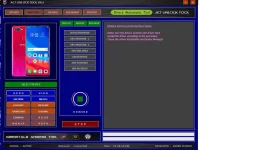
Removing a demo mode from your device is effortless with ACT Unlock Tool V4.0. Here’s a step-by-step example:Connect your device to your computer. Open ACT Unlock Tool V4.0. Click the “OPPO” button. Under the “Lock” section, select “Remove Demo.” Navigate to the “Service” section. Click the “Remove Demo” button corresponding to your device variant (CPH or RMX). Follow the on-screen instructions to complete the process.
You do not have permission to view the full content of this post. Log in or register now.