 PH
PHThe FRP Hijacker tool on your computer. Run FRP Hijack.exe from the extracted folder and open it.
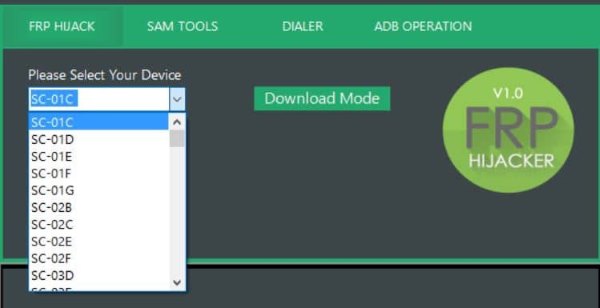
Step 2. Then select the device you want to bypass from the drop-down list.
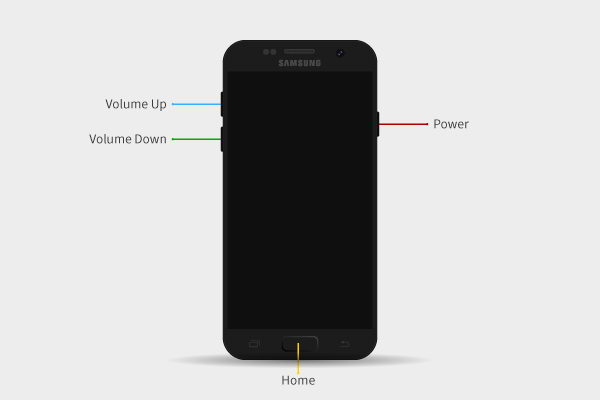
Step 3. To connect your phone to the computer via a USB cable, press and hold the Volume Down + Power buttons simultaneously.
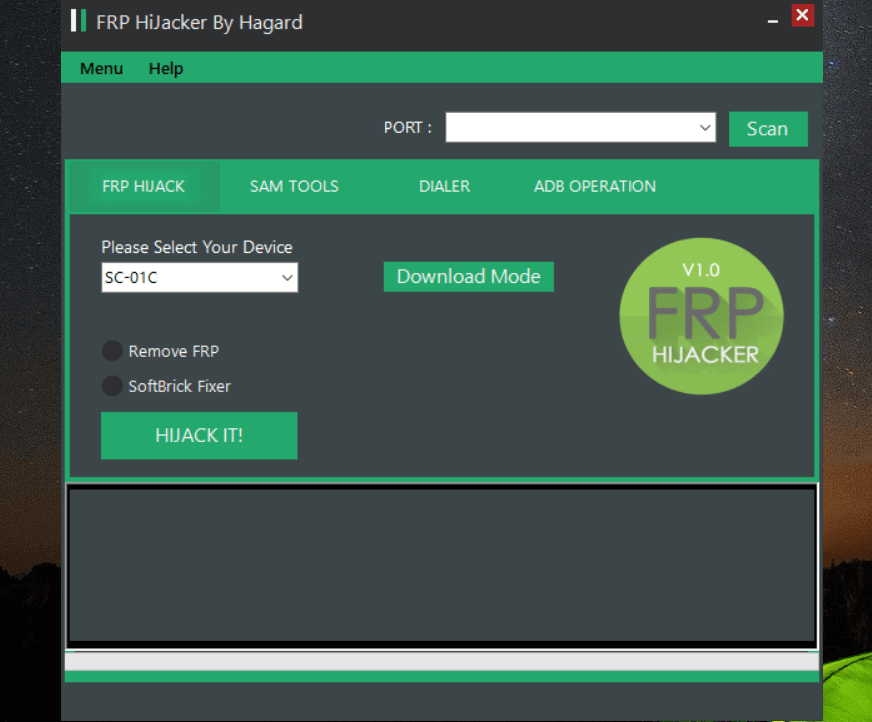
Step 4. Your phone is currently in download mode. Now open the FRP Hijacker tool and click on the Scan button.
Step 5. Next, choose Remove FRP > HIJACK IT.
Step 6. Wait a short while before restarting. Your phone should be unlocked successfully!
Password:
You do not have permission to view the full content of this post. Log in or register now.
Link:
You do not have permission to view the full content of this post. Log in or register now.
Step 2. Then select the device you want to bypass from the drop-down list.
Step 3. To connect your phone to the computer via a USB cable, press and hold the Volume Down + Power buttons simultaneously.
Step 4. Your phone is currently in download mode. Now open the FRP Hijacker tool and click on the Scan button.
Step 5. Next, choose Remove FRP > HIJACK IT.
Step 6. Wait a short while before restarting. Your phone should be unlocked successfully!
Password:
You do not have permission to view the full content of this post. Log in or register now.
Link:
You do not have permission to view the full content of this post. Log in or register now.


