PH
PHMga Ka-PHC  ,
,
I am sharing a working crack for the Unlock Tool as of today, August 1, 2026. I have personally tested this on a clean device, and it is working properly. Use it at your own risk.
You do not have permission to view the full content of this post. Log in or register now.
You do not have permission to view the full content of this post. Log in or register now.
Files included:
If you encounter issue: take time to read this:
 The following issues have been resolved for the Inloguque program:
1. Restart the computer, then activate the first tool, then run the program.
 Important: Do not close the activation tool, it must remain active as long as the program is running.
If the error appears:
Invalid USERNAME/PASSWORD or Server timeout!
Error code: 400 - State: Query Access
The first method:
Open Command Prompt as administrator and execute the following commands:
takeown /F C:\Windows/System32\drivers\etc /R /D Y
icacls C:\Windows/System32\drivers\etc /grant "%USERNAME%" OI)(CI)F /T
icacls C:\Windows/System32\drivers\etc /grant AdministratorsOI)(CI)F /T
Then restart and try again.
The second method if it does not work (manually):
1. Go to the folder:
C:\Windows/System32\drivers
2. Click right on the folder etc → Properties.
3. Open Security → Advanced.
4. If the owner is not your account, change the owner of your account or Administrators.
5. Give Full Control to your account and Administrators.
6. Apply permissions to all files and subfolders.
7. Restart, then activate the first tool and then run the program.
If you have other problems, put them in the comments.
©Reguru
Use at Your Own Risk
NOTE: TESTED ko na to and working properly lalo na merong bagong update sa iphone 11 hanggang promax bypass. pero kung may duda kayo pwede nyong itest muna sa vmware or any clean device.
,I am sharing a working crack for the Unlock Tool as of today, August 1, 2026. I have personally tested this on a clean device, and it is working properly. Use it at your own risk.
 DOWNLOAD FILES
You do not have permission to view the full content of this post. Log in or register now.
You do not have permission to view the full content of this post. Log in or register now.
Files included:
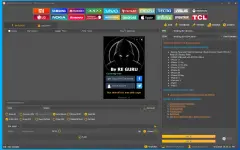
- UnlockTool-2026-07-30-0.exe (214.3 MB) – Main application
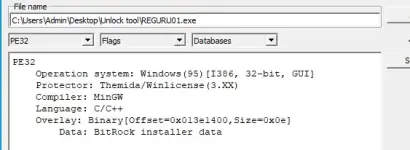
- REGURU01.exe (19.9 MB) – Ac†ïvâ†ør
Step 2: Run the Ac†ïvâ†ør
- Right-click on REGURU01.exe and select "Run as administrator".
- The ac†ïvâ†ør window will open. Follow the on-screen instructions to proceed with the activation process.
Step 3: Activate via Telegram Bot
- The ac†ïvâ†ør will prompt you to connect to a Telegram bot.
- Open Telegram on your phone or PC and search for the bot that the ac†ïvâ†ør shows.
- Start the bot and follow its instructions. It will guide you through the activation process.
- Once the bot finishes, it will provide you with a username and password for the Unlock Tool.
Step 4: Open the Unlock Tool
- Now, right-click on UnlockTool-2026-07-30-0.exe and select "Run as administrator".
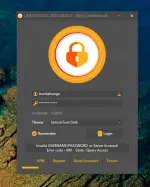
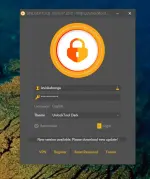
- The login window will appear. The username and password should be automatically filled in by the ac†ïvâ†ør/crack.
- If they are not auto-filled, manually copy and paste the credentials you received from the Telegram bot.
- Click Login – it should now log in without any errors!
Step 5: Video Guide (Optional)
- If you get stuck, here is a video tutorial showing the entire activation process:
If you encounter issue: take time to read this:
The following issues have been resolved for the Inloguque program:1. Restart the computer, then activate the first tool, then run the program.
Important: Do not close the activation tool, it must remain active as long as the program is running.If the error appears:
Invalid USERNAME/PASSWORD or Server timeout!
Error code: 400 - State: Query Access
The first method:
Open Command Prompt as administrator and execute the following commands:
takeown /F C:\Windows/System32\drivers\etc /R /D Y
icacls C:\Windows/System32\drivers\etc /grant "%USERNAME%"
OI)(CI)F /Ticacls C:\Windows/System32\drivers\etc /grant Administrators
OI)(CI)F /TThen restart and try again.
The second method if it does not work (manually):
1. Go to the folder:
C:\Windows/System32\drivers
2. Click right on the folder etc → Properties.
3. Open Security → Advanced.
4. If the owner is not your account, change the owner of your account or Administrators.
5. Give Full Control to your account and Administrators.
6. Apply permissions to all files and subfolders.
7. Restart, then activate the first tool and then run the program.
If you have other problems, put them in the comments.
©Reguru
Use at Your Own RiskNOTE: TESTED ko na to and working properly lalo na merong bagong update sa iphone 11 hanggang promax bypass. pero kung may duda kayo pwede nyong itest muna sa vmware or any clean device.