 PH
PH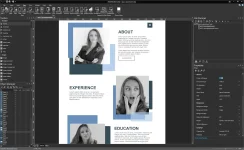
WYSIWYG Web Builder 17
Visually design your website (What-You-See-Is-What-You-Get). Just drag & drop objects on your web pages, navigation bars, Menu bar, and many other navigation options. It is a "One Click Publishing" No FTP program is needed. No special hosting is required; use with any Hosting Service!With WYSIWYG Web Builder, you can easily create forms using the built-in Form Wizard plus Form validation tools and built-in CAPTCHA. Further, its advanced graphics tools like shapes, texture, rotation, shadows, and many other image effects. It is also fully integrated jQuery UI (Accordion, Tabs, etc.), animations, effects, and a built-in ThemeRoller theme editor.
Further, this program WYSIWYG Web Builder has Google compatible sitemap generator / PayPal eCommerce Tools. Other navigation tools are also available for navigation bars, tab menus, drop-down menus, site trees, slide menus.
Overview of WYSIWYG Web Builder 17 Features
- Built-in support for layout grid, flexbox, css grid or fixed layouts with breakpoints
- Easily add Google Fonts and other Web Fonts to your website.
- Add amazing pre made animations and transitions or create your own animations. More than 150 pre-defined animations are included.
- Use pre-made blocks to quickly get started. More than 150 blocks are available!
- Image filters, shapes, galleries, carousels, lightboxes, rollover animations, YouTube, Vimeo, HTML5 Video/Audio
- Support for Font Awesome, Material Icons and many other icon libraries
- Navigation buttons, drop down menus, fullscreen menu, mega menu, panel menu, breadcrumb, pagination and much more!
- Hundreds of extensions to add extra functionality to the software. Including slideshows, navigation, audio/video, webshops, data viewers etc.
Technical Details and System Requirements
- Supported OS: Windows 10, Windows 8.1, Windows 7
- RAM (Memory): 2 GB RAM (4 GB recommended)
- Free Hard Disk Space: 200 MB or more
Download Link
You do not have permission to view the full content of this post. Log in or register now.
© FileCr