 PH
PHoutsidecap
Forum Guru
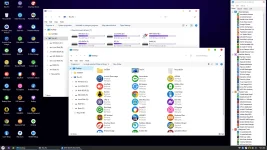
What’s New
– Supports Intel laptops gen 12+, Ryzen 6000 Mobile series
– Automatically add Intel RAID driver gen 12+ when installing Windows with Setup.exe
– Increase V drive space (RAM) by 15%. The capacity of drive V (RAM) will depend on the RAM in the machine
– Add option “INSTALL APPS ON RAM” to NHV BOOT icon in taskbar
– “INSTALL APPS ON RAM” after activating this option will copy all software and applications to V drive (RAM), unplug the USB HDD/SSD software box, the application will still work normally
– Active duo software Paragon APFS for Windows and Paragon Linux File Systems for Windows
– Paragon APFS for Windows is a software to read and write APFS partition data (macOS operating system uses this partition standard)
– Paragon Linux File Systems for Windows software to read and write data on Ext4 partitions (Linux operating system uses the Ext4 partition standard)
– Add software to test SSD write speed AS SSD Benchmark (PStart section 4.Diagnostic Tools)
– Add test file Speaker Sound Test (PStart section 4.Diagnostic Tools)
– Update CPUZ 2.00 . AnyDesk 7.0.7 . WinNT Setup 5.2.3 . HWiNFO 7.22 . EVKey 5.0.1
– The default Keyboard Test Utility interface switches to darkmode
– Driver installation interface “WLAN Driver” is neat and simple to operate
SPECIAL FEATURES NHV BOOT 2022
– Support booting according to 2 boot standards UEFI and Legacy
– Includes versions of Win11PE (64-bit) Win10PE (64-bit) Win10PE (32-bit)
Full of advanced rescue software, always updated with new versions
– Supports all generations of computers from the old to the newest
– Very fast boot and loading speed on all WinPE versions
– WinPE interface is designed to be intuitive, synchronous, and modern
– Support to install Windows 11 bypass with Setup.exe. Bypass TMP 2.0 and Secure Boot
– Supports NVME hard drive recognition of Intel Gen 11 AMD 5000 Series computers
– Automatically add NVME IRST Intel Gen 11 driver when installing Windows with Setup.exe
– Identify Apple SSD hard drives, TrackPad, Wifi on new MacBook laptops
– Supports reading and writing APFS macOS, Ext4 Linux partitions
– Support to unlock Bitlocker in WinPE requires a password or recovery key
– Supports unlocking computers with passwords, fingerprints, Microsoft accounts and Domains
– Win11PE (64-bit) Win10PE (64-bit) with many features automatically recognize LAN + Wifi
– Win11PE (64-bit) Win10PE (64-bit) can be used well on UEFI 2GB Ram machines
– NHV BOOT has support for the latest 11th gen Intel CPU laptop touch screen
– Have Anydesk and AeroAdmin to help control remote support connection via WinPE
– Support UEFI 32bit boot with Win10PE 32bit for some supported machines (secure boot is off)
– Modern Wifi connection interface, connection speed is much faster than other boot versions using PE Network
– Support to receive touchpad for the latest laptops gen 11 or older
– Support to receive Intel Gen 11 and AMD 5000 Series laptop audio
– Modern boot menu and app icon design, completely different from other boot versions
Download links:
You do not have permission to view the full content of this post. Log in or register now.