 PH
PHCarlos2026
Contributor
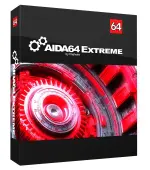
Need to understand every detail of your PC’s hardware and software? AIDA64 is the ultimate system diagnostics and benchmarking tool. Developed by FinalWire Ltd., AIDA64 provides comprehensive insight into your computer, making it perfect for overclockers, IT professionals, and anyone who wants to truly know their system.
From detailed component information to real-time temperature, fan speed, and voltage monitoring, AIDA64 offers a wealth of data. Use it to test system stability under heavy load, diagnose hardware errors. Stress, troubleshoot freezes. Available in two editions: AIDA64 Extreme and AIDA64 Engineer, this software helps improve all users to verify the cooling performance.
Ready to unlock deep system insights? Download and install AIDA64 today! After trying it, tell us how the review reflected your experience. Were the key features covered accurately? Share any missing elements in the comments, and start exploring your system’s inner workings!
Features of AIDA64 Extreme / Engineer Edition Full
CPU, memory, and disk benchmarks
AIDA64 implements a set of 64-bit benchmarks to measure how fast the computer performs various data processing tasks and mathematical calculations. Memory and cache benchmarks are available to analyze system RAM bandwidth and latency. Processor benchmarks utilize MMX, 3DNow!, and SSE instructions, and scale up to 32 processor cores. For legacy processors, all benchmarks are available in 32-bit versions as well. AIDA64 Disk Benchmark determines the data transfer speed of hard disk drives, solid-state drives, optical drives, and flash memory-based devices.
Temperature, voltage, and cooling fan monitoring
AIDA64 supports over 150 various sensor devices to measure temperatures, voltages, fan speeds, and power draw. Measured values can be displayed on System Tray icons, OSD panel, Sidebar Gadget, and Logitech G15/G19 Gaming Keyboard LCD. The values can also be logged to a file or exported to external applications such as RivaTuner or Samurai. AIDA64 can also alarm the user when it detects overheating, over-voltage, or cooling fan failure.
Hardware diagnostics
AIDA64 has the most accurate hardware detection capabilities in its class, to provide detailed information on the computer internals without the need to open it up. The hardware detection module is strengthened by an exhaustive hardware database holding over 115,000 entries. Additional modules are available to overview processor frequencies, check CRT and LCD status, and stress the system to reveal potential hardware failures and thermal issues.
Software and operating system analysis
AIDA64 provides over 50 pages of information on installed programs, software licenses, security applications, and Windows settings. A list of started processes, services, DLL files, startup programs, and visited web pages is also available.
New features and improvements:
AIDA64 implements a set of 64-bit benchmarks to measure how fast the computer performs various data processing tasks and mathematical calculations. Memory and cache benchmarks are available to analyze system RAM bandwidth and latency. Processor benchmarks utilize MMX, 3DNow!, and SSE instructions, and scale up to 32 processor cores. For legacy processors, all benchmarks are available in 32-bit versions as well. AIDA64 Disk Benchmark determines the data transfer speed of hard disk drives, solid-state drives, optical drives, and flash memory-based devices.
Temperature, voltage, and cooling fan monitoring
AIDA64 supports over 150 various sensor devices to measure temperatures, voltages, fan speeds, and power draw. Measured values can be displayed on System Tray icons, OSD panel, Sidebar Gadget, and Logitech G15/G19 Gaming Keyboard LCD. The values can also be logged to a file or exported to external applications such as RivaTuner or Samurai. AIDA64 can also alarm the user when it detects overheating, over-voltage, or cooling fan failure.
Hardware diagnostics
AIDA64 has the most accurate hardware detection capabilities in its class, to provide detailed information on the computer internals without the need to open it up. The hardware detection module is strengthened by an exhaustive hardware database holding over 115,000 entries. Additional modules are available to overview processor frequencies, check CRT and LCD status, and stress the system to reveal potential hardware failures and thermal issues.
Software and operating system analysis
AIDA64 provides over 50 pages of information on installed programs, software licenses, security applications, and Windows settings. A list of started processes, services, DLL files, startup programs, and visited web pages is also available.
New features and improvements:
- OpenCL GPGPU AES-256 cryptography benchmark
- Extended AMD Mantle graphics accelerator diagnostics
- Intel H97 and Z97 chipset-based motherboards support
- Improved support for Intel “Haswell-E” CPU and DDR4 memory modules
- Support for DDR4 XMP 2.0 memory profiles
- A-Data SP920 SSD support
- GPU details for AMD Radeon R9 295X2, FirePro W9100
- GPU details for nVIDIA GeForce GT 740, GeForce GTX Titan Z
AIDA64 Engineer 8.25.8200 | File Size:
File Size: 142 MB
File Size: 142 MB
Cara Instal :
- Download dan ekstrak file “AIDA64 Extreme ” ini.
- Ekstrak juga file keygen yang berada di dalam folder tersebut.
- Instal programnya seperti biasa.
- Buka folder keygen, lalu jalankan file keygen dengan cara klik kanan >> run as administrator.
- Pada bagian product silahkan pilih aida64 extreme, lalu klik generate.
- Buka programnya dan gunakan serial dari keygen untuk proses registrasinya.
- Done.