PH
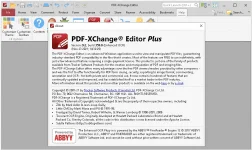
PHPDF-XCHANGE EDITOR PLUS V9.2.359.0 MULTILINGUAL PORTABLE
32bit | 64bit
The smallest, fastest, most feature-rich PDF editor/viewer available! Create, View, Edit, Annotate, OCR and Digitally Sign PDF files plus much more.. Designed for anyone from home users to large corporate environments that wish to View/Edit/Modify and even OCR Image based PDF files on their Windows PC's.
The PDF-XChange Editor is smaller, faster and more feature rich than any other FREE PDF Reader/ PDF Viewer/ PDF Editor available on the market. This free pdf editor download also allows users to try the extended functionality offered by the licensed PDF-XChange Editor in evaluation mode - for free. No PDF reader or Viewer offers more features than PDF-XChange - or does so without compromising performance, quality or security. Checkout the feature list below and save $100's in unnecessary expenditure on your PDF software solution today.
Advanced features:
- NEW PDF-XChange Editor Plus only) Create and Edit Fillable PDF Forms
- (NEW PDF-XChange Editor Plus only) Create and Edit Dynamic Stamps
- (NEW) Convert PDF to MSPowerPoint® format
- Reduce PDF file size by Image compression/downsampling & embed/unembed Font, PDF Optimization
- Advanced PDF Bookmark creation and management
- Direct Content Editing (Paths & Images)
- Combine PDFs open/closed pdfs
- Import Directly from XPS and other support formats
- Header & Footer Support
- Bates Numbering
- Delete Pages
- Move Pages - By Drag&drop in Thumbnails View.
- Insert/Import Pages (from existing PDF files)
- Extract pages to a new file (PDF or Image format - 15 formats supported)
- Crop Pages/Files
- Flatten Annotations/Comments
- Insert Blank page
- Summarize Comments
- Export Comments
- Scan Direct to PDF (now with inline OCR option during scanning process)
- Create PDF documents from text and RTF files
- Convert 15 supported image formats to PDF
- Extended Digital Signature Support (incl. Time Stamps)
- Security Profiles (for adding security to documents conveniently)
- Improved Browser Plug-ins to reduce compatibility issues
- and much more...
Release Notes:
- You do not have permission to view the full content of this post. Log in or register now.
Operating System:
- All Windows operating systems from Windows XP** and later.
- 32bit/64bit both
Homepage: You do not have permission to view the full content of this post. Log in or register now.
Run & Enjoy, No activation required / Instruction is Included in the folder!
Download Link
You do not have permission to view the full content of this post. Log in or register now.
You do not have permission to view the full content of this post. Log in or register now.
You do not have permission to view the full content of this post. Log in or register now.
pass: tarugs