 PH
PremiumCourses
Fanatic
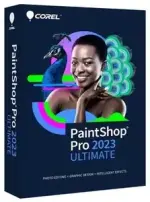
Free Download Corel PaintShop Pro 2023 Ultimate 25.3.0.16 (x64) Portable | 1.05 GB
Corel PaintShop Pro Portable is a professional photo editing and graphic design application for Windows, combining advanced image correction tools, creative effects, and intelligent editing features in one workspace. It provides photographers and designers with tools for enhancing images, retouching portraits, creating composites, and producing graphics for both personal and professional projects.
The application supports RAW photo development, HDR composition, 360-degree image editing, and a wide range of adjustment and correction tools. Its layer-based editing environment, masks, typography controls, brushes, and vector drawing tools also make it useful for creating more elaborate visual designs.
AI-powered features help automate tasks such as image enlargement, noise reduction, background replacement, and artistic styling. Batch processing, scripts, photo organization, and built-in creative templates further streamline everyday editing workflows.
Software Overview
PaintShop Pro combines photo enhancement, image manipulation, and graphic design capabilities. Users can correct exposure and color, remove unwanted objects, repair damaged photographs, adjust perspective, and apply creative effects without relying on multiple editing applications.
Its AfterShot Lab provides RAW editing tools directly within the application. Users can also combine multiple exposures into HDR images and adjust photographs captured with 360-degree cameras.
For graphic design, PaintShop Pro offers non-destructive layers, masks, text formatting, vector drawing, painting tools, gradients, patterns, and creative templates. The Manage workspace provides additional tools for cataloging, tagging, reviewing, and organizing image collections.
Key Features
- Professional Photo Editing: Adjust brightness, contrast, white balance, saturation, sharpness, color balance, noise, and tonal curves.
- Photo Restoration: Repair scratches and faded photographs with dedicated restoration and correction tools.
- RAW Editing: Process RAW images using the integrated AfterShot Lab workspace.
- HDR Photography: Combine multiple exposures of the same scene to create high dynamic range images.
- 360-Degree Photo Editing: Straighten and level 360-degree images, remove tripod areas, or create planet-like visual effects.
- AI Upsampling: Enlarge images while helping reduce unwanted distortion.
- AI Artifact Removal and Denoise: Reduce image artifacts and noise using intelligent processing tools.
- AI Style Transfer: Apply artistic visual styles to photographs.
- AI Background Replacement: Replace image backgrounds using automated editing tools.
- Object Removal: Remove unwanted objects and distractions with content-aware editing features.
- Smart Editing Tools: Use SmartClone, Magic Move, and Magic Fill to modify images and fill selected areas.
- Portrait Retouching: Correct red-eye, blemishes, wrinkles, and uneven skin tones, and whiten teeth.
- AI Portrait Mode: Apply background blur effects to portraits using automatic subject analysis.
- Layers and Masks: Create non-destructive image composites and control the visibility of individual image elements.
- Typography Tools: Add and format text with controls for fonts, size, style, alignment, leading, and kerning.
- Drawing and Painting: Use built-in brushes, imported Adobe Photoshop brushes, vector illustration tools, gradients, and patterns.
- Creative Templates: Design collages, greeting cards, social media graphics, banners, brochures, and business cards.
- Instant Effects: Apply film, black-and-white, landscape, retro, traditional, artistic, and other preset effects.
- Scripts and Batch Processing: Automate repeated editing operations and apply changes to multiple images.
- Photo Management: Organize collections, create catalogs, add keyword tags, and review image metadata.
- Extensive File Compatibility: Import, edit, save, and export images in a variety of supported file formats.
PaintShop Pro brings photo editing and graphic design tools together in a single application. Its combination of RAW processing, image correction, portrait retouching, layers, masks, and creative effects makes it suitable for a broad range of visual projects.
The integrated AI tools can reduce the time required for repetitive tasks, while scripts and batch processing help users apply consistent changes across multiple photographs. The included design resources and templates also provide a convenient starting point for creating promotional graphics and other visual materials.
System Requirements
- Operating System: Windows 11 or Windows 10 (64-bit editions; version 1903 or later recommended with the latest service pack).
- Virtualization: Microsoft Windows Server 2012 R2, Windows Server 2016, or Windows Server 2019.
- Processor: Intel Celeron G series or AMD Phenom II and above. Intel Core i5 or AMD Ryzen series and above recommended for AI feature support.
- Memory: 4 GB RAM (8 GB recommended for AI feature support).
- Storage: 3 GB available hard-disk space (4 GB recommended).
- Display: 1366 x 768 resolution (1920 x 1080 at 100 DPI recommended). Up to 250 DPI supported with an appropriate resolution display.
- Graphics: DirectX 11 or higher-compatible video adapter with the latest driver. A DirectX 12-compatible discrete graphics card is recommended for GPU acceleration.
What is Corel PaintShop Pro used for?
It is used for photo editing, image enhancement, RAW processing, portrait retouching, compositing, and graphic design.
Does PaintShop Pro support RAW photos?
Yes. Its AfterShot Lab workspace provides tools for editing RAW images within PaintShop Pro.
Can PaintShop Pro remove unwanted objects?
Yes. Object Remover and content-aware tools such as SmartClone, Magic Move, and Magic Fill help remove or modify unwanted image elements.
Does the software include AI features?
Yes. The listed AI-powered tools include image upsampling, artifact removal, denoising, style transfer, background replacement, and AI Portrait Mode.
Can PaintShop Pro create graphics as well as edit photographs?
Yes. It includes layers, masks, text tools, vector drawing, brushes, templates, and other graphic design features.
Is this release portable?
Yes. This edition is identified as Portable, allowing it to be used in a portable software configuration.
Home Page
Code:
https://www.paintshoppro.com/- Software Name: Corel PaintShop Pro 2023 Ultimate
- Version: 25.3.0.16
- Architecture: 64-bit (x64)
- File Size: 1.05 GB
- License Type: Portable
Download ( Rapidgator )
You do not have permission to view the full content of this post. Log in or register now.
DDownload
You do not have permission to view the full content of this post. Log in or register now.
FreeDL
You do not have permission to view the full content of this post. Log in or register now.