PH
PHgigzofficial
Forum Expert
Wala naman po syang problem sa obs sakin so far every time na mag sstream always check or paulit ulitin nyo lang sya





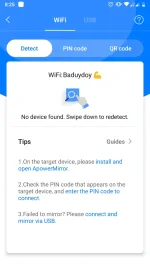
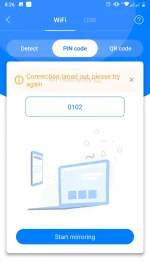
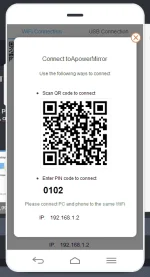
Solutions to Android Cannot Connect to ApowerMirror via WiFi
1. Make sure your phone and PC are connected to the same WiFi network.
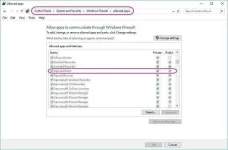
2. Make sure the firewall on PC hasn’t blocked ApowerMirror. If so, you need to raise the blockade manually. On your PC, open “Control Panel” > “System and Security” > “Windows Firewall” > “Allow an app or feature through Windows Firewall”, then you can find ApowerMirror on “Allowed apps and features”. Tick the “Private” and “Public” boxes to allow this app to communicate through Windows Firewall.
3. Make sure the antivirus program hasn’t blocked ApowerMirror. Or you can turn off the antivirus program and try again.
4. If you are using a public or company WiFi. The router of your company has turned on “AP Isolation” or the WiFi blocked our ports. Please consult the technicians of your company to solve this issue.
thank u lods
Welcomewow its working thank you amazing

 Pero tinry ko sa PC ko sa office, working naman po. Pero dito sa bahay, ayaw. Wala naman akong changes sa settings po. Same OS lang din to. May idea ka po sir Man with No Name ?