 PH
PH-
Welcome to PHCorner Forums! Sign up for free to unlock full access and exclusive privileges, including:
- Asking questions about computer and mobile issues
- Discovering internet tips for your mobile network and computer
You are using an out of date browser. It may not display this or other websites correctly.
You should upgrade or use an alternative browser.
You should upgrade or use an alternative browser.
🔒 Closed Squid installation
- Thread starter Mbite
- Start date
- Status
- Not open for further replies.
PHC_Jayvee
nakatapos din sa research😂🤣
Please stop making multiple thread with one or same topic or questions
And also use search bar before you ask
Your problem is already solve
You just need to do a small research or explore it
And also use search bar before you ask
Your problem is already solve
You just need to do a small research or explore it
If I got the solution was not gonna ask same question. If you have a the solution you can share.Please stop making multiple thread with one or same topic or questions
And also use search bar before you ask
Your problem is already solve
You just need to do a small research or explore it
PHC - plokplok
┌∩∩∩┐(◣_◢)┌∩∩∩┐
Here's a simple script to install squid on Ubuntu 16/18 and Debian 9If I got the solution was not gonna ask same question. If you have a the solution you can share.
[CODE title="Squid Installation"]wget https://raw.githubusercontent.com/Stale-1/Squid-Open-For-All/main/squid.sh && chmod +x squid.sh && ./squid.sh[/CODE]
Th
Thanks will apply it when I get homeHere's a simple script to install squid on Ubuntu 16/18 and Debian 9
[CODE title="Squid Installation"]wget https://raw.githubusercontent.com/Stale-1/Squid-Open-For-All/main/squid.sh && chmod +x squid.sh && ./squid.sh[/CODE]
how can i change the squid port to 443?Here's a simple script to install squid on Ubuntu 16/18 and Debian 9
[CODE title="Squid Installation"]wget https://raw.githubusercontent.com/Stale-1/Squid-Open-For-All/main/squid.sh && chmod +x squid.sh && ./squid.sh[/CODE]
PHC - plokplok
┌∩∩∩┐(◣_◢)┌∩∩∩┐
After editing the configuration you must restart squid service for changes to take effect.
[CODE title="Restart Squid Proxy"]systemctl restart squid[/CODE]
Btw squid proxy is used as http proxy I don't know if it will work as ssl proxy if it is i am not sure if the configuration i have made will work.
[CODE title="Restart Squid Proxy"]systemctl restart squid[/CODE]
Btw squid proxy is used as http proxy I don't know if it will work as ssl proxy if it is i am not sure if the configuration i have made will work.
its not connecting bro via kpn.what can be a problem?After editing the configuration you must restart squid service for changes to take effect.
[CODE title="Restart Squid Proxy"]systemctl restart squid[/CODE]
Btw squid proxy is used as http proxy I don't know if it will work as ssl proxy if it is i am not sure if the configuration i have made will work.
PHC - plokplok
┌∩∩∩┐(◣_◢)┌∩∩∩┐
Yes but on Debian 10 and other distros I dont know.

PHC - plokplok
┌∩∩∩┐(◣_◢)┌∩∩∩┐
How did you use it? If your using it as http proxy it should work.
To test if the squid proxy is working try to connect using the Remote Proxy + SSH method.
Use the squid proxy as remote and on ssh use the same ip address as your squid proxy but with 22 as the port. If it worked just fine then squid proxy is not the problem your configuration in the client side is the cause of failure to connect.
To test if the squid proxy is working try to connect using the Remote Proxy + SSH method.
Use the squid proxy as remote and on ssh use the same ip address as your squid proxy but with 22 as the port. If it worked just fine then squid proxy is not the problem your configuration in the client side is the cause of failure to connect.
Are you on telegram bro? I need to show you somethingAfter editing the configuration you must restart squid service for changes to take effect.
[CODE title="Restart Squid Proxy"]systemctl restart squid[/CODE]
Btw squid proxy is used as http proxy I don't know if it will work as ssl proxy if it is i am not sure if the configuration i have made will work.
I d
I don't think soIt's will work with Ubuntu 20?
PHC - plokplok
┌∩∩∩┐(◣_◢)┌∩∩∩┐
Nope, i don't have telegram. Can't you just show it to me here?
Either via using hideuser feature or via private message.
Either via using hideuser feature or via private message.
It doesn't allow me to send privateNope, i don't have telegram. Can't you just show it to me here?
Either via using hideuser feature or via private message.
Attachments

PHC - plokplok
┌∩∩∩┐(◣_◢)┌∩∩∩┐
I have sent you a message. Check it in your inbox.
how can i change the squid port to 443?
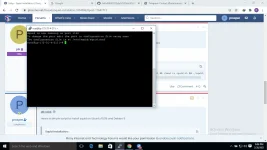
View attachment 1310823
1. open the squid config under /etc/squid/squid.conf you can use vi or nano
2. locate the http_port the default port is 3128 then you change it into 443, then save
3. restart the squid services by typing systemctl restart squid
question what is your goal on squid proxy? and i search about the KPN and i found these, KPN is a Dutch landline and mobile telecommunications company.? is this correct?its not connecting bro via kpn.what can be a problem?
- Status
- Not open for further replies.
Similar threads
-
-
👨🏫 Tutorial Residential Electrical Installations, Basic Electricity
- Started by WSODownload
- Replies: 0
-
👨🏫 Tutorial Become an Expert in LAMP - Installation & Configuration
- Started by WSODownload
- Replies: 1
-
❓ Help Microsoft Word, PPT, Excel installation
- Started by jessiejay7
- Replies: 5
-
🎓 Course [Udemy] Drywall Installation and Finishing: From Fundamentals to Pro | By: Sina Sabeti | DDL | 3.7 GB
- Started by AIMERSHIN
- Replies: 3
About this Thread
-
21Replies
-
1KViews
-
5Participants
Last reply from:
g33z
g33z
New Topics
-
Linux Distro Reco
- Started by v2clone
- Replies: 4
- 🐧 Linux Distributions
Trending Topics
Online now
- Members online
- 355
- Guests online
- 4,471
- Total visitors
- 4,826