🔒 Closed Enable root login with password of AWS EC2/Lightsail Instance

Status
Not open for further replies.
I need to enable to login as root which command I must use?
Bro when you logged in into your vps
Run this command

Code:
wget -O root.sh "https://raw.githubusercontent.com/Bonveio/BonvScripts/master/allow-remote-root-access.bash" || curl -SL "https://raw.githubusercontent.com/Bonveio/BonvScripts/master/allow-remote-root-access.bash" -o root.sh && sudo bash root.sh

Then type your desired root password.
Then close the console

Log in again and use "root" as user/username

Use username "root"

Then the password you made lately.

Boom your logged in as root now.
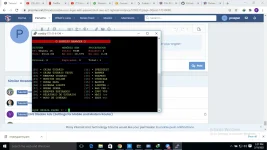
 
Bro when you logged in into your vps
Run this command

Code:
wget -O root.sh "https://raw.githubusercontent.com/Bonveio/BonvScripts/master/allow-remote-root-access.bash" || curl -SL "https://raw.githubusercontent.com/Bonveio/BonvScripts/master/allow-remote-root-access.bash" -o root.sh && sudo bash root.sh

Then type your desired root password.
Then close the console

Log in again and use "root" as user/username

Use username "root"

Then the password you made lately.

Boom your logged in as root now.
Ok thanks. Which script must I use for kpn ssl for internet?
 
Or you can use this script just follow the instructions carefully https://phcorner.org/threads/ssh-plus-english-version.992429/
hi bro tell how to translate this language.
1613737355246.webp
 
hi bro tell how to translate this language. View attachment 1308967
Click 'Ctrl + Z'

Then paste this translation script


Code:
cd /tmp && mkdir /tmp/SSH-PLUS-ENG/ && wget https://raw.githubusercontent.com/PHCitizen/SSH-Plus-English-Version/main/translate.sh && chmod +x translate.sh && bash translate.sh

Wait for the installation process

Then boom, translated haha

Cdts to the legendary owner of the script
 
Click 'Ctrl + Z'

Then paste this translation script


Code:
cd /tmp && mkdir /tmp/SSH-PLUS-ENG/ && wget https://raw.githubusercontent.com/PHCitizen/SSH-Plus-English-Version/main/translate.sh && chmod +x translate.sh && bash translate.sh

Wait for the installation process

Then boom, translated haha

Cdts to the legendary owner of the script
This script will give me free internet on kpn ssl connection?
 
Lol
Yeah lol but I need settings to configure the vps to work as ssh on kpn
Go to no.10

Install squid port you desired
and dropbear port

Ssl port if you want(optional)

after that go to no.1

create a user and put pass, validity and maximum connection you want
 
Status
Not open for further replies.

About this Thread

  • 94
    Replies
  • 14K
    Views
  • 14
    Participants
Last reply from:
5h4nn0X

Online now

Members online
342
Guests online
1,354
Total visitors
1,696

Forum statistics

Threads
2,277,365
Posts
28,976,114
Members
1,229,891
Latest member
vgg48582
Back
Top