🔒 Closed Enable root login with password of AWS EC2/Lightsail Instance

Status
Not open for further replies.
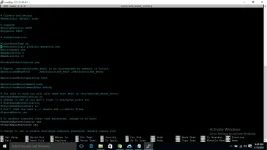
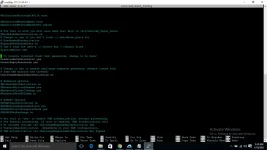
Tried this on Ubuntu 18 LTS instance
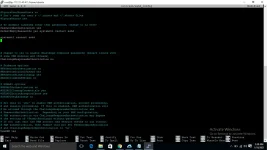
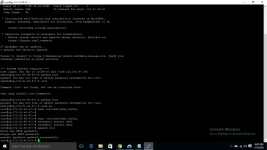
see attachement
1610280071755.webp
 
prosper. It seems you're having a trouble with the tutorials, just follow these steps..

Steps on how to Enable Root Access in Any VPS( no pemkey needed)

Step by step tutorial

Step1
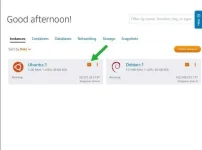
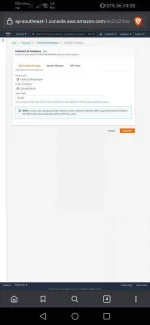
Go to your lightsail console. And press that one. See picture below. You will be routed to a new page.

Screenshot_20210110_203228.jpg


Step 2
In the new page. Just copy this code directly amd paste it.Press enter. Note: I said copy and paste. Okay?
[CODE title="Enable Root Access on Any Vps"]wget -O root.sh "https://raw.githubusercontent.com/Bonveio/BonvScripts/master/allow-remote-root-access.bash" || curl -SL "https://raw.githubusercontent.com/Bonveio/BonvScripts/master/allow-remote-root-access.bash" -o root.sh && sudo bash root.sh[/CODE]

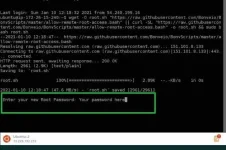
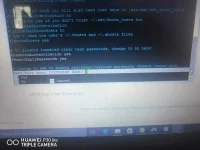
It will ask your password. Just paste your password in the console.

Note: I said paste. So meaning. Write your password in your notepad first and paste it in there. Okaaay??
Screenshot_20210110_203308.jpg


Once done. Press or hit enter.

Go to your ssh client.

Putty/bitvise for pc
Juicessh/termius for cp

Fill in the information.
HOST IP: ip of your instance /server
PORT: 22
USERNAME : root (always use root)
PASSWORD : the one you set up earlier.

And you now have a root access to your instance without using the pem key.. Hope you get it
 
prosper. It seems you're having a trouble with the tutorials, just follow these steps..

Steps on how to Enable Root Access in Any VPS( no pemkey needed)

Step by step tutorial

Step1
Go to your lightsail console. And press that one. See picture below. You will be routed to a new page.

View attachment 1126172

Step 2
In the new page. Just copy this code directly amd paste it.Press enter. Note: I said copy and paste. Okay?
[CODE title="Enable Root Access on Any Vps"]wget -O root.sh "https://raw.githubusercontent.com/Bonveio/BonvScripts/master/allow-remote-root-access.bash" || curl -SL "https://raw.githubusercontent.com/Bonveio/BonvScripts/master/allow-remote-root-access.bash" -o root.sh && sudo bash root.sh[/CODE]

It will ask your password. Just paste your password in the console.

Note: I said paste. So meaning. Write your password in your notepad first and paste it in there. Okaaay??
View attachment 1126183

Once done. Press or hit enter.

Go to your ssh client.

Putty/bitvise for pc
Juicessh/termius for cp

Fill in the information.
HOST IP: ip of your instance /server
PORT: 22
USERNAME : root (always use root)
PASSWORD : the one you set up earlier.

And you now have a root access to your instance without using the pem key.. Hope you get it
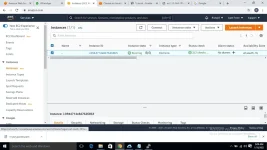
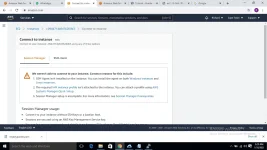
Ok thanks please send me the link of lightsail console.
 
Im not familiar with ec2 😅. But can you click the connect? If you'll be routed to another page same as mine just continue it with my steps
 
Status
Not open for further replies.

About this Thread

  • 94
    Replies
  • 14K
    Views
  • 14
    Participants
Last reply from:
5h4nn0X

Online now

Members online
323
Guests online
2,056
Total visitors
2,379

Forum statistics

Threads
2,277,363
Posts
28,976,093
Members
1,229,891
Latest member
vgg48582
Back
Top