PH
PHjoey the cockroach
Forum Master
Okay just follow the steps above carefully
I'm using juice ssh it keeps on disconnectingOkay just follow the steps above carefully
Can you please direct me on how can I use it on puttyChange to a more stable network
See the attachedLogin first your vps on putty, once inside, just follow the steps above
See the attachedLogin first your vps on putty, once inside, just follow the steps above

Can we use bitviseConvert first your pem file to ppk file
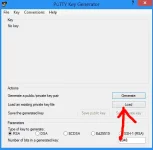
Frist run Puttygen (Putty Key Generator)
Click Load
View attachment 1125898
Click on this and choose All files
View attachment 1125901
Then find your pem file, then click open
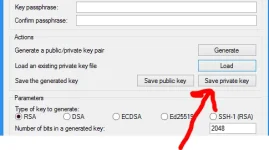
Then Save private key
View attachment 1125903
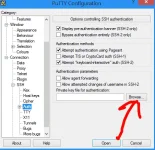
Run Putty then in Connection > SSH > Auth, click on browse, then find your ppk file
View attachment 1125919
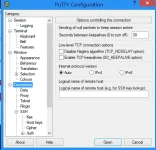
In Connection copy this settings (this is only to prevent your session from disconnecting)
View attachment 1125927
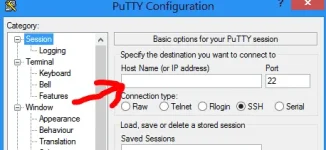
Go back to Session, then input your server's IP address here, then click Open
View attachment 1125931
Can we maybe use bitvise please putty and juice ssh it's bit complicated for me lolHere's my advice
Since you've already logged in to juicessh successfully, then just use juicessh to run the steps above.
Just follow them carefully, because errors might cause you to be locked out of your instance.

I'm really desperateI haven't used bitvise, but i'll try maybe later or tomorrow
Please bro I@m just a..beginner@Cupcake_13..palitan ko na title nito " enable root login plus how to login using putty"