PH
PH What’s New in MRT Tool V6.1.0 (2025 Update)
The MRT Tool V6.1.0 update focuses on broad chipset support and enhanced functionality, especially for newer Samsung, Huawei, Oppo, and Realme devices. Here's a quick summary of what's new: MRT Tool V6.1.0 Released! Xiaomi Qualcomm Loader Added & Verified
  New support for 40+ Xiaomi devices Factory Reset | FRP | Flash | Mi Account Tested & working on Blackshark, Mi, Poco, Redmi series
 Highlights:
 • Mi 10 / Mi 11 Pro / Mi A3
• Poco F2 Pro / F3 / F4 5G
• Redmi Note 11 / 12 / 13
• Blackshark 1 / 2 / 2 Pro
• K20 Pro / K30 Pro / K40S
🛠 Technician-ready, no bugs, no guesswork.
New Device Support
Samsung Qualcomm Devices:- Galaxy A71 5G (SM-A716U BIT-B)
- Note20 5G (SM-N981N BIT6)
- Note20 Ultra 5G (SM-N986N BIT5)
- Galaxy S20 5G (SM-G981N BIT5)
- S22 Ultra 5G (SM-S908E/DS BIT-B)
- S23+ (SM-S916B/DS BIT7)
- Huawei MatePad 11.5 (BTK-W09 / BTK-AL09)
- Full support for MT6765 and other MTK chips
- Updated Preloader Auth Loader for better flashing and FRP bypass
 Improved Features
- Flash, Backup, Factory Reset, and FRP tools updated for Android 12/13/14
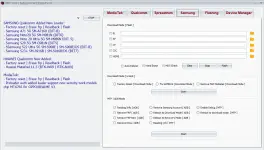
- Samsung tools now include Softbrick Repair, MTP Mode FRP Removal, and Samsung Account Bypass.
 Why Choose MRT Tool V6.0?
- MRT Tool continues to be the go-to tool for:
- FRP removal across Samsung, Oppo, Realme, Vivo, Huawei
- Flashing and unlocking without root
- EDL/MTP/META/Preloader mode support
- Whether you're a beginner or pro, MRT Tool V6.0 simplifies complex tasks with a user-friendly interface and powerful backend.
 How to Use MRT Tool V6.1.0 – Step-by-Step
Using MRT Tool is straightforward. Follow these steps to unlock, reset, or repair any supported Android device:Step 1: Download and Install
- Download MRT Tool V6.1.0 (2025) from a trusted source.
- Extract the files and run the setup. (No dongle required for this free release).
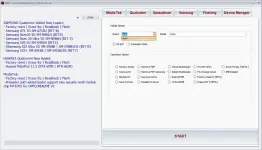
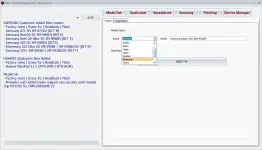
- Select the right tab: MediaTek, Qualcomm, Samsung, or Spreadtrum.
- Connect your device using USB (ensure drivers are installed).
- For FRP removal, choose “Erase FRP”.
- For IMEI repair, select “Repair IMEI” and enter the correct IMEI.
- To flash firmware, load the scatter or firmware files under the appropriate format.
- Click "Start" or "Execute" based on your operation.
- Once the tool finishes, reboot the device manually or via the tool.
Direct Link
With Free 5 Account Good For 1 Year
You do not have permission to view the full content of this post. Log in or register now.