PH
PHPHC SILENCED
Forum Veteran
READ ME:
While waiting for the newer version you can try this tutorial.
How to Install Krisp AI 1.40.7 (No Login, Unlimited Use) – Windows Only
Krisp AI is a cutting-edge noise-canceling software that enhances the quality of your calls by eliminating unwanted background noise. This tutorial will guide you through the steps to install Krisp AI version 1.40.7 on Windows without the need for login, offering unlimited use. It's designed to be straightforward, with a few simple steps and precautions.Requirements
- Operating System: Windows (Version 7 or later recommended)
- File: Krisp AI 1.40.7 installer (krisp-v1.40.7-x64.msi)
- Common sense
Do:
- Uninstall Any Previously Installed Krisp AI
- Always remove installed version of Krisp AI before installing a new one to prevent errors and conflicts.
- Uninstall the Krisp AI Driver (If Present)
- If you have a Krisp AI driver installed, make sure to uninstall it before installing the new version. This ensures a clean slate for installation.
- Install Offline (Optional)
Don’t:
- Don’t Sign Out
- After installing Krisp AI 1.40.7 do not sign out. Logging out can prevent access to unlimited features.
Step-by-Step Installation Guide
Step 1: Uninstall Any Previous Krisp AI Versions
Before you begin installing Krisp AI 1.40.7, it’s essential to ensure no older versions of Krisp AI are installed on your system. This helps avoid any conflicts during installation.- Go to the Control Panel
- Press the Windows key and type Control Panel in the search bar. Open the Control Panel.
- Uninstall the Existing Krisp AI
- In the Control Panel, click on Programs and then Uninstall a Program.
- Find Krisp AI in the list of installed applications. Right-click on it and select Uninstall.
- Follow the on-screen instructions to complete the uninstallation.
- Uninstall the Krisp AI Driver (If Installed)
- If you have a Krisp AI driver installed, repeat the process to remove it as well.
Note: This step is crucial for a clean installation of Krisp AI 1.40.7.
- If you have a Krisp AI driver installed, repeat the process to remove it as well.
Step 2: Download Krisp AI 1.40.7 Installer
You will need the Krisp AI 1.40.7 installer file to begin the installation.- Download Krisp AI
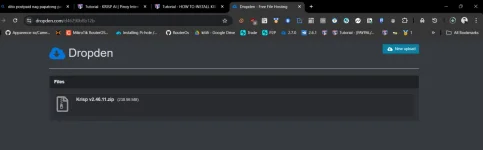
You do not have permission to view the full content of this post. Log in or register now.(GDRIVE DIRECT LINK)
Step 3: Install Krisp AI 1.40.7
Once you’ve downloaded the installer, you’re ready to begin the installation process.- Run the Installer
- Locate the downloaded krisp-v1.40.7-x64.msi file and double-click it to run the installation.
- Follow the Installation Prompts
- A window will appear asking you to confirm the installation. Click Next.
- You will be asked to choose an installation location. You can proceed with the default location or choose a custom folder. Click Next.
- Click Install to begin the installation process.
- Complete the Installation
- Wait for the installation to finish. Once completed, click Finish to close the installer.
Note: Make sure Krisp is not running in the background.
- Wait for the installation to finish. Once completed, click Finish to close the installer.
Step 4: Copy Krisp.exe to the Installation Folder
In order to use Krisp AI 1.40.7 without login restrictions and to activate unlimited features, you need to copy the Krisp.exe file to the installation folder.
- Locate Krisp.exe
Tip: Search Krisp on Start menu and open file location. - Navigate to the Installation Folder
- By default, Krisp AI is installed in C:\Program Files\Krisp (unless you selected a different location during installation).
- Open the folder and find the Krisp.exe file.
- Copy Krisp.exe
- Copy the Krisp.exe file to the installation directory. If you already have a Krisp.exe in this location, overwrite it with the new version.
- Confirm Overwrite (if prompted)
- If Windows asks you to confirm replacing the file, click Yes to proceed.
Step 5: Enjoy Unlimited Krisp AI Use
Once the installation is complete and the Krisp.exe is in place, you are ready to start using Krisp AI 1.40.7 with unlimited features, without any login or account requirements.Troubleshooting Tips
IF:Krisp AI Doesn’t Launch
Krisp AI Asks for Login
Installation Fails or Freezes
- Redo the installation