PH
PHAdmiralKape
Elite
Another powerful Application
Download here
You do not have permission to view the full content of this post. Log in or register now.
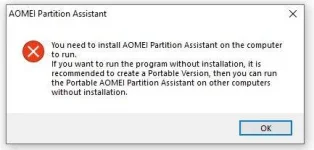
extract and run na ito no need to install kapag di gumana run as admin mo lang
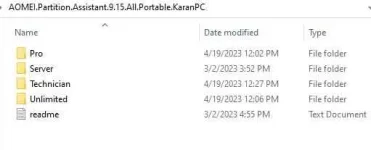
check the photo below
bale pili ka na lang jan kung ano gusto mong gamitin
pass:123
Download here
You do not have permission to view the full content of this post. Log in or register now.
extract and run na ito no need to install kapag di gumana run as admin mo lang
check the photo below
bale pili ka na lang jan kung ano gusto mong gamitin
Professional Edition
Optimized for Windows PC operating systems, allowing you to resize, move, extend, merge, split partitions without any loss of data and migrate OS to SSD, etc. You’ll soon be getting the most out of your disk space and performance.Server Edition
Optimized for Windows PC and Windows Server operating systems, catering to small and medium-sized business to take out the challenges of managing hard disks and partitions on server machines.Unlimited Edition
Optimized for large enterprises, able to be installed on an unlimited number of computers within one company. It supports Windows PC and Windows Server operating systems.Technician Edition
Optimized for technical service providers, covering all features AOMEI Partition Assistant offers and providing charged technical services to your clients with no limits on usage.pass:123